10 Best AI Patent Prosecution Tools
June 8, 2026

Patent prosecution work is built on judgment, but much of the surrounding process is repetitive: parsing office actions, identifying rejection grounds, mapping cited art to claim language, drafting response sections, tracking deadlines, and maintaining consistency across matters.
AI patent prosecution tools are designed to reduce that mechanical work. The best platforms do not replace attorney judgment. They give practitioners a structured starting point: rejection summaries, claim-by-claim analysis, citation-linked drafting support, prior art context, and workflow tracking.
This guide compares leading AI patent prosecution tools based on how they support real prosecution workflows, including office action analysis, response drafting, claim review, prior art handling, collaboration, and deadline management.
Key takeaways:
- AI patent prosecution tools help attorneys review office actions, draft responses, track deadlines, and manage prior art, all without handling each step manually
- The best tools don't replace attorney judgment. They remove the mechanical work so attorneys can focus on strategy and claim scope
- Practitioners who get real value from these tools work section by section, review every output, and treat AI as a starting point rather than a finished product
What Is an AI Patent Prosecution Tool?
An AI patent prosecution tool helps you respond to office actions without doing everything by hand. It reads the examiner’s document and pulls out the key issues so you don’t have to search through pages of text.
It identifies each rejection and links it to the specific claims and prior art the examiner cited. You can quickly see what the examiner is saying, where the issues are, and what needs a response.
The tool then helps you draft that response. It can suggest argument structures, reuse language from past filings, and keep your wording consistent across applications.
Most tools also handle tracking. You can manage deadlines, assign work, and keep all documents in one place. This keeps prosecution organized and reduces the risk of missed steps.
Best AI Patent Prosecution Tools
For this list, we focused on tools built specifically for patent work, not general legal AI. We looked at how well each tool handles office actions, supports structured arguments, and fits into real IP workflows. We also considered ease of use, integration with existing systems, and practitioner feedback, where available.
1. Patlytics
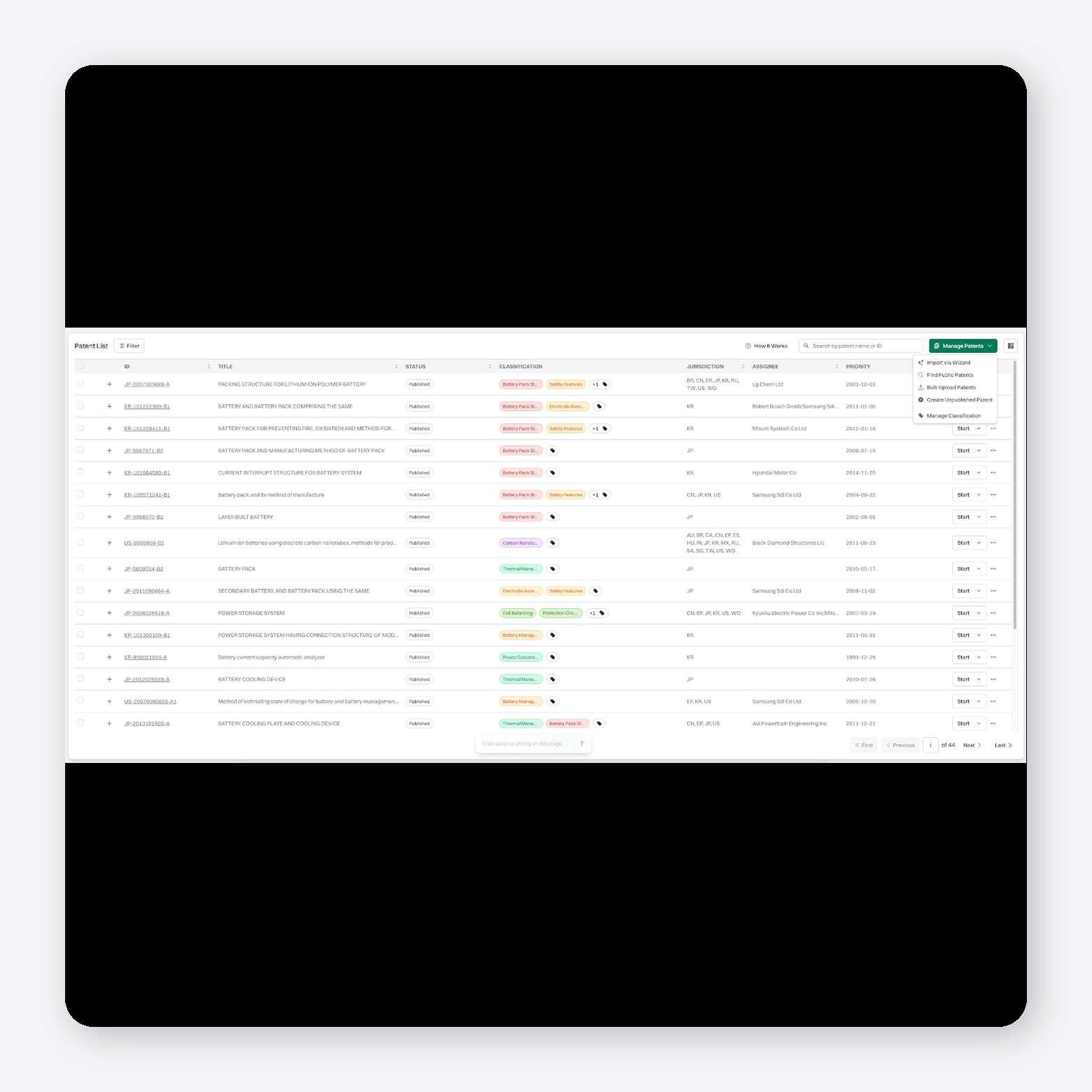
Patlytics is an end-to-end, AI-native patent platform built for prosecution teams that need more than a standalone drafting assistant. It supports the prosecution workflow from invention disclosure and claim drafting through office action analysis, prior art review, response drafting, and related downstream analysis.
The platform helps attorneys move from raw prosecution materials to structured work product in one workspace. Users can upload office actions, review rejection issues, analyze cited references, map arguments to claim language, and draft responses with supporting context. Because Patlytics connects claims, prior art, cited references, and prosecution history, teams can maintain consistency across office action rounds without rebuilding the analysis from scratch.
Patlytics stands out because prosecution work does not sit in isolation. It is the only platform on the market combining drafting, prosecution, infringement, invalidity, FTO, SEP, and portfolio analysis in one system.
Pros:
- Provides faster review of patent documents through clear summaries and reduced need to read full filings
- Supports integration with existing tools and workflows through API connections
- Centralizes IP data and document management across multiple formats
- Trusted by large law firms and enterprise teams, including over 40% of Am Law 100 firms and Fortune 500
Cons:
- Capabilities go beyond drafting or search, which may not be necessary for teams focused on a single task
User testimonial:
“The tool is particularly useful when dealing with large amounts of patent data. It does a good job of organizing complex information in a way that feels easier to scan and compare. I also like how the AI summaries help reduce the need to read through entire documents just to get the key idea, which is very helpful when working under time pressure.” G2 user
2. Abigail
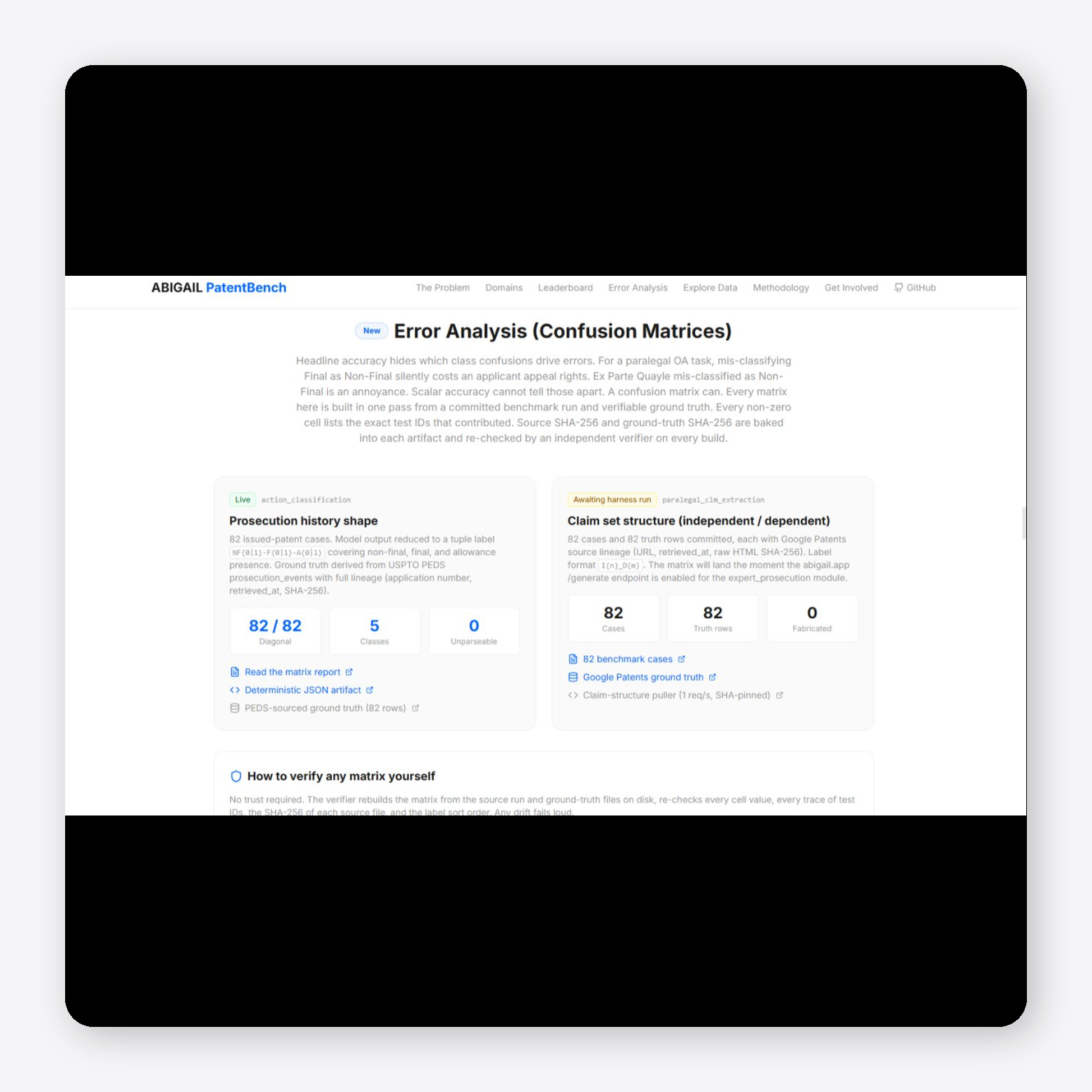
Abigail is an AI patent prosecution platform focused on drafting responses to office actions. You upload an office action or enter an application number, and the system pulls the prosecution history, identifies each rejection, and maps claims to cited prior art. It provides a claim-by-claim analysis using multiple specialized models, along with a draft response that links each argument back to source documents. Abigail also includes side-by-side comparison views, automated form generation, and built-in docketing with deadline tracking and examiner analytics.
Pros:
- Enables structured drafting of complete office action responses with linked source support
- Supports full prosecution workflow with docketing, deadline tracking, and form generation in one platform
Cons:
- Heavy focus on USPTO workflows with limited visibility into non-US jurisdiction support
- Dependence on structured workflows that may require adjustment from existing processes
User testimonial: Not publicly available
3. Ankar AI

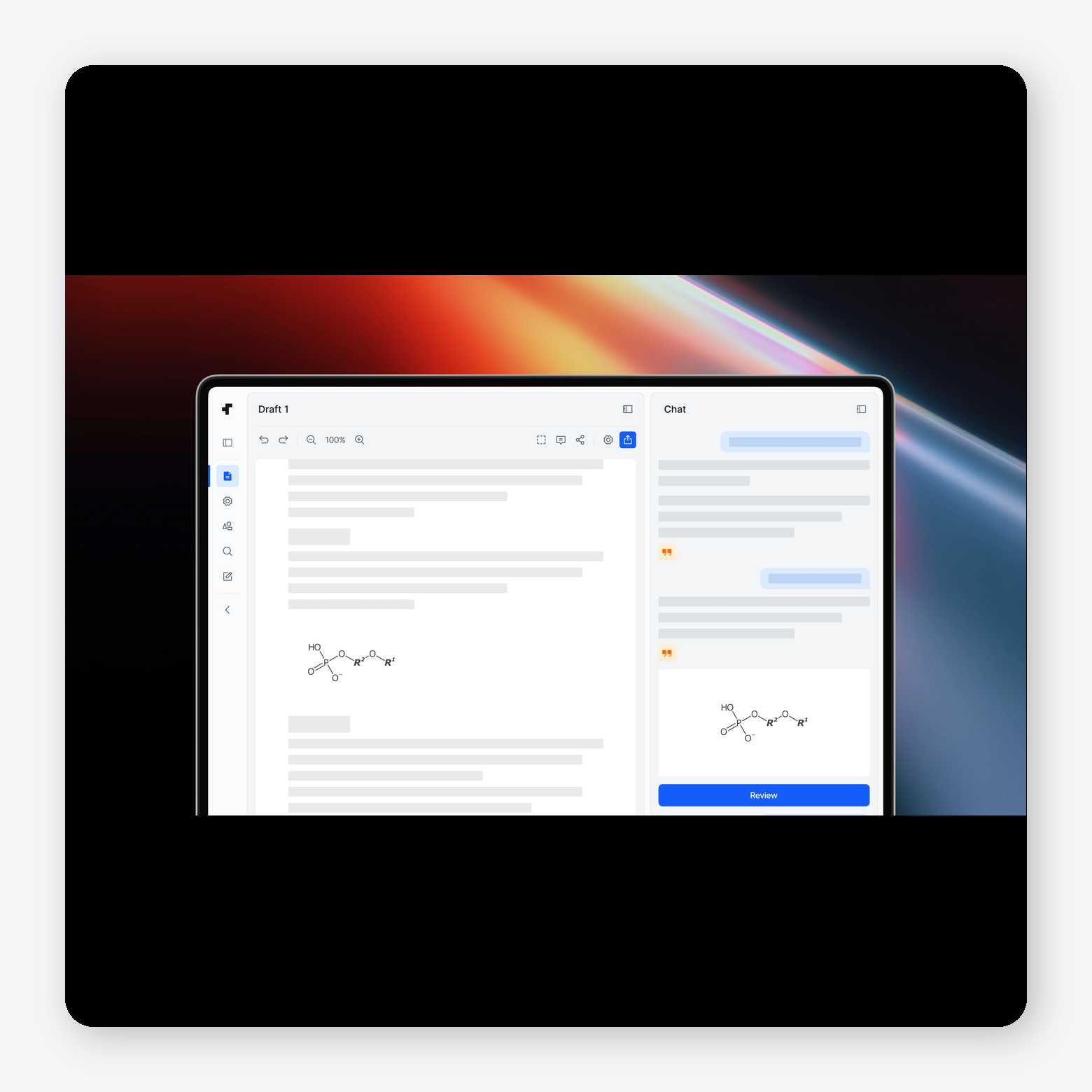
Ankar AI is a patent platform that supports idea generation, drafting, prosecution, and infringement analysis in one system. It includes tools to create invention disclosures and full patent drafts, review office action rejections with suggested arguments and amendments, and analyze patents against products to assess potential infringement.
Pros:
- Provides configurable drafting workflows with citation-linked outputs tied to source documents
- Includes integrated tools for monitoring patents, products, and competitive IP activity
Cons:
- Broad platform scope that may exceed the needs for teams focused on a single use case
- Limited visibility into the depth of features for specific prosecution tasks
User testimonial: Not publicly available
4. Spellbook

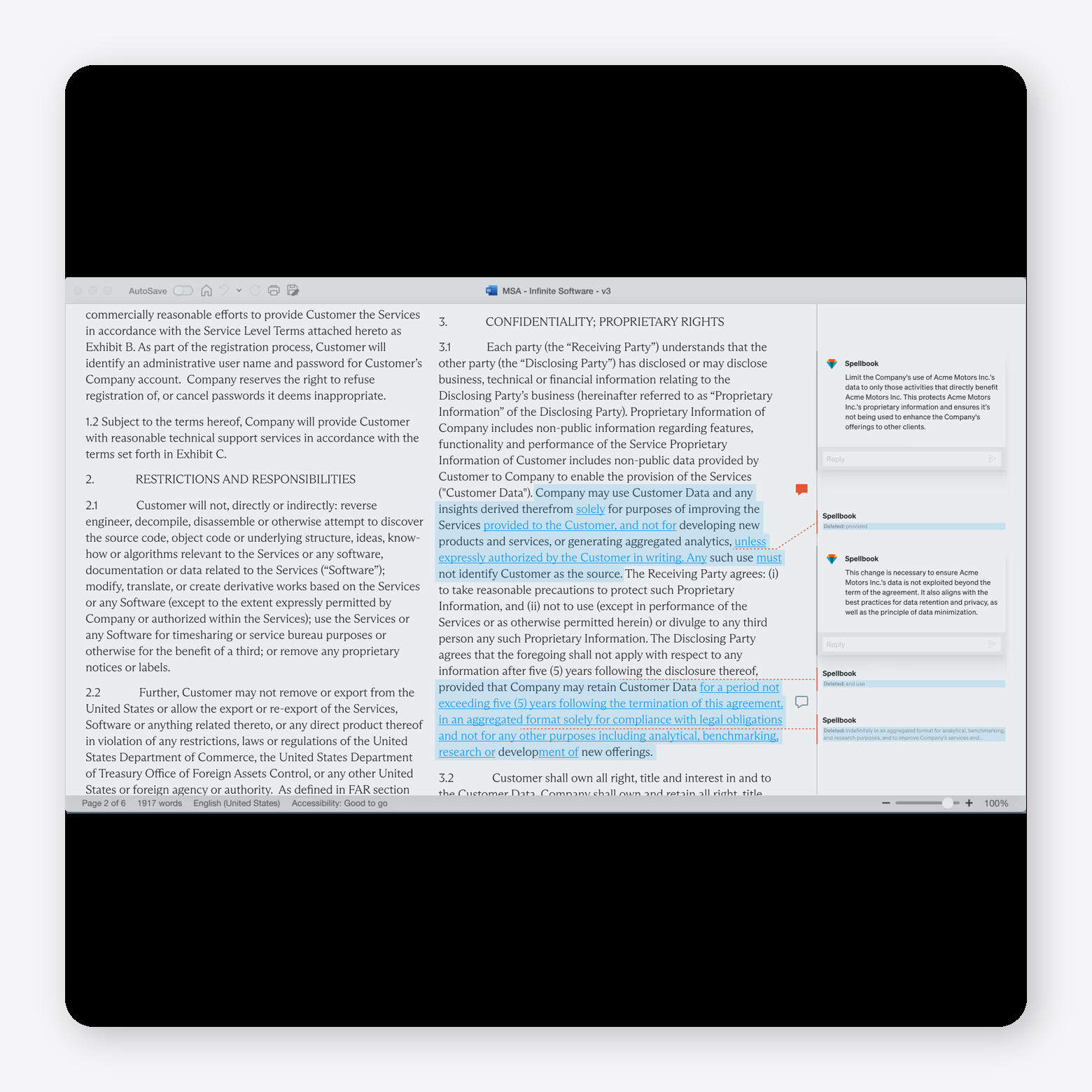
Spellbook is an AI contract tool that works inside Microsoft Word to support drafting, review, and document workflows. It allows you to redline contracts, generate clauses from scratch or past precedents, ask questions with cited answers, and compare agreements against common market standards. Spellbook also includes multi-document workflow automation, clause libraries, and benchmarking tools, with support for different contract types, jurisdictions, and writing styles.
Pros:
- Supports the identification of errors, inconsistencies, and legal issues during document review
- Improves productivity and reduces reliance on outside counsel for routine legal work
Cons:
- Inaccurate or outdated legal citations that require manual verification
- Inconsistent formatting in the generated documents that needs post-editing
User testimonial:
“Sometimes I get citations to outdated or replaced laws, especially with statute citations. This is a significant weakness, as it cites outdated law. Also, in the drafting feature, if I don't provide very, very specific terms, Spellbook can be too literal. I'd prefer it to pull in more context from the edits and language of the draft document.” G2 user
5. PatentPal
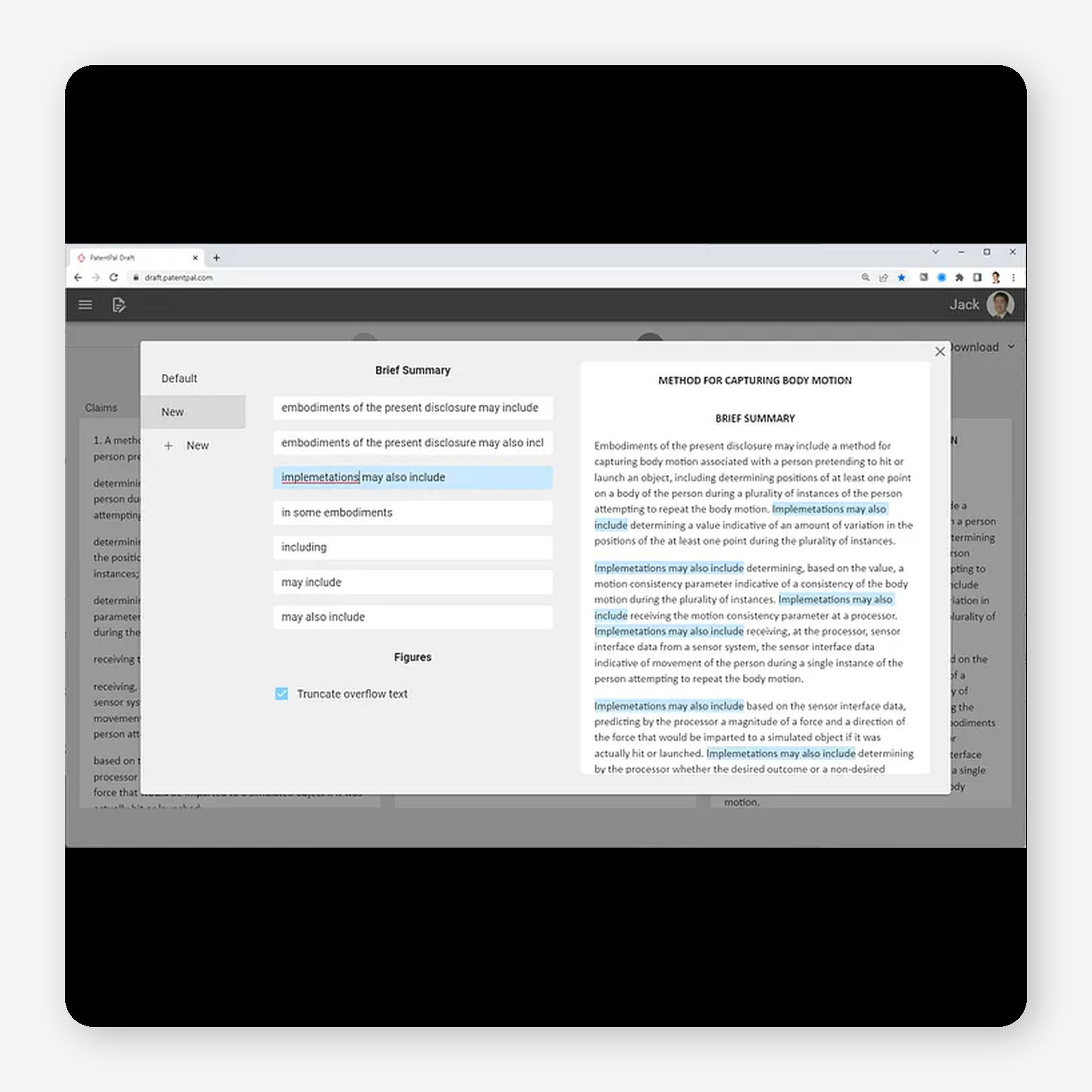
PatentPal is an AI patent drafting tool that focuses on turning claims into supporting application content. You upload your claims, and the platform generates sections such as the abstract, summary, detailed description, and figures. It also creates flowcharts and block diagrams to match the claims, along with written explanations of each figure.
Pros:
- Enables creation of flowcharts and block diagrams aligned with application content
- Allows export of drafts into Word, Visio, or PowerPoint formats
Cons:
- Focuses primarily on drafting rather than the full prosecution workflow
- Requires manual review and editing before filing
User testimonial: Not publicly available
6. DeepIP
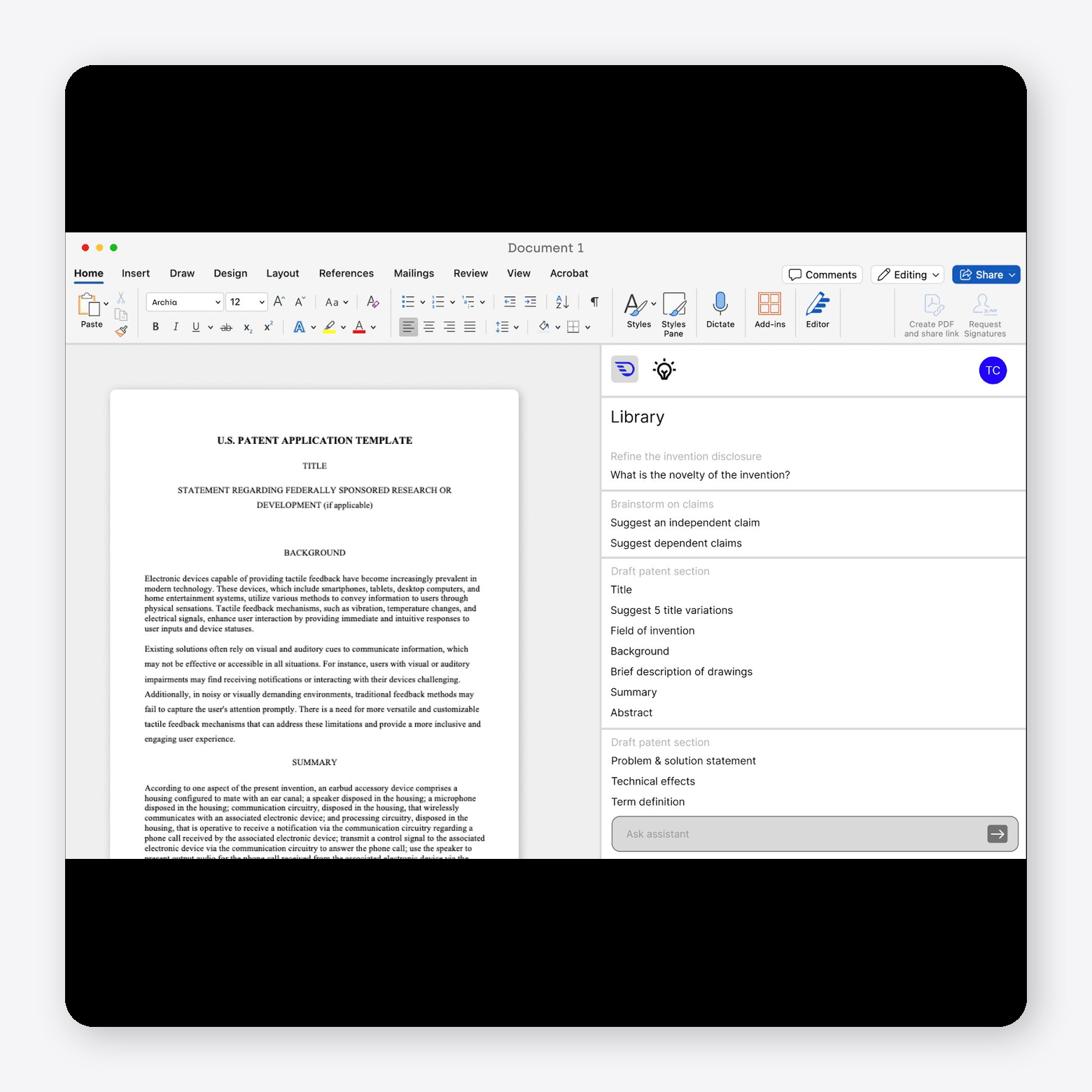
DeepIP is an AI patent platform that connects invention capture, drafting, prosecution, and portfolio analysis in a single workflow. It supports invention disclosures, claim-level patentability analysis, office action responses, and prior art search, with outputs linked to cited sources. DeepIP integrates with tools like Microsoft Word and IP management systems, allowing teams to work within existing workflows while managing documents, analysis, and collaboration in one place.
Pros:
- Enables drafting and prosecution support with suggested claims, amendments, and arguments
- Supports integration into existing workflows through Microsoft Word and other tools
Cons:
- Requires validation of AI-generated outputs before use in filings
- Less visibility into limitations or edge cases in complex prosecution scenarios
User testimonial: Not publicly available
7. Rowan Patents

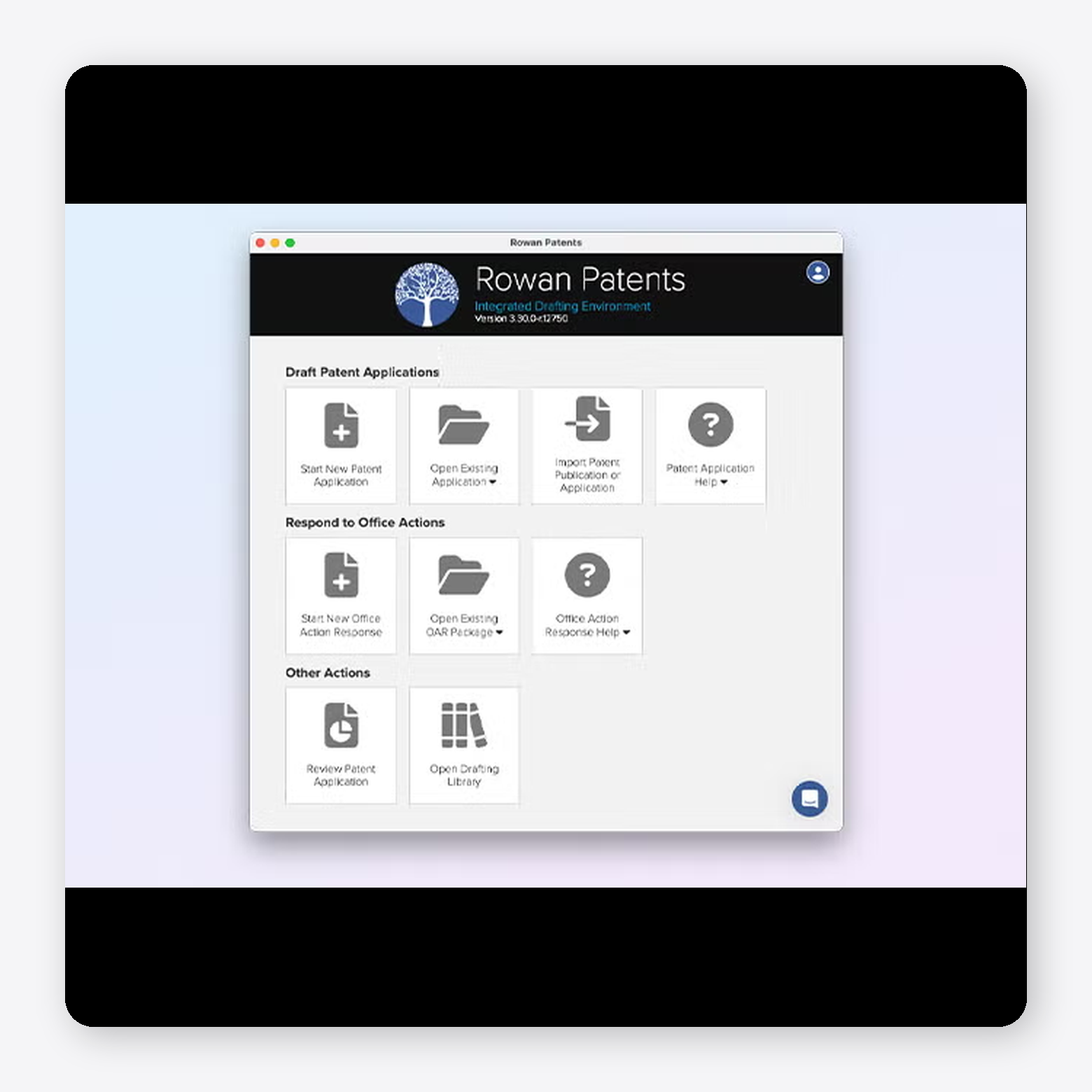
Rowan Patents is a patent drafting and prosecution tool developed by Clarivate that brings claims, specification, and drawings into a single desktop application. It supports drafting, review, and prosecution workflows with built-in tools for part numbering, claim support tracking, and consistency checks across the application. Rowan Patents includes templates, drafting libraries, and terminology management to keep language aligned, along with GenAI assistance for drafting specific sections.
Pros:
- Supports drafting workflows with templates, libraries, and jurisdiction-specific requirements
- Includes built-in validation and error checking to maintain quality across documents
Cons:
- Focuses primarily on drafting rather than full prosecution workflow depth
- Requires manual review and control despite AI-assisted drafting features
User testimonial: Not publicly available
8. Solve Intelligence
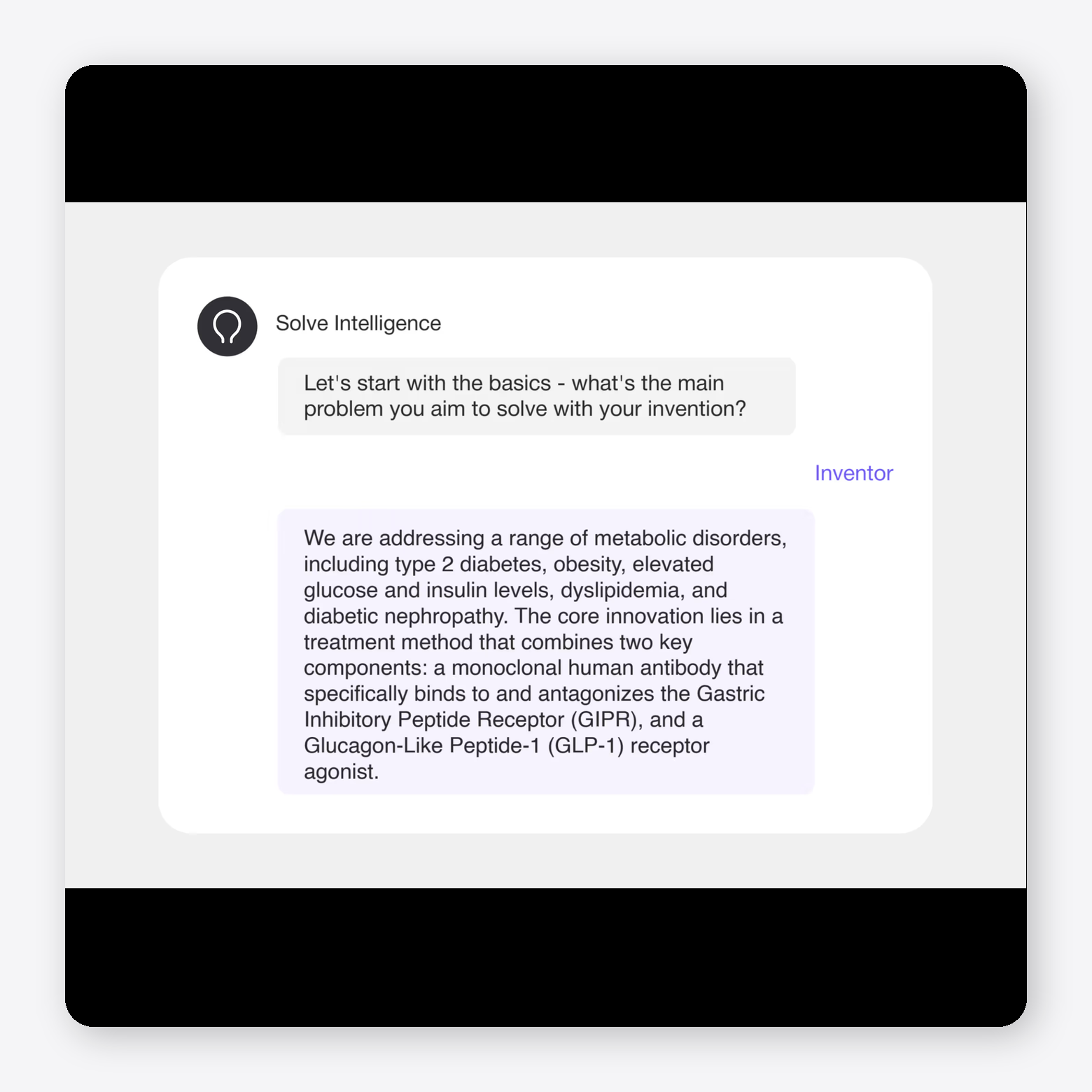
Solve Intelligence is an AI patent platform that supports invention disclosures, drafting, prosecution, and claim charting within a single system. It allows you to generate invention disclosure forms, draft patent applications with configurable styles, and prepare office action responses with cited arguments and amendments. Solve Intelligence also includes tools for creating claim charts across use cases such as invalidity, infringement, and freedom-to-operate, along with features for managing disclosures, tracking work, and maintaining reusable templates across teams.
Pros:
- Provides faster patent drafting by automating repetitive sections and reducing manual effort
- Enables structured analysis of office actions with clear mapping of claims, rejections, and examiner reasoning
Cons:
- Requires a learning curve to use effectively and get consistent outputs
- Limits performance in certain domains, such as mechanical inventions, without detailed input
User testimonial:
“Like any new tool, there is a learning curve. But if you find instructions that make the software write the way you want, you can add them to a template so it writes that way going forward. Once you build up your template, there is minimal clean-up work to be done.” G2 user
9. PatSnap

PatSnap is an AI-powered patent and innovation platform that supports prior art search, drafting, office action response, and portfolio analysis within a single system. It provides access to large global datasets across patents, scientific literature, and technical research, and includes tools for novelty and freedom-to-operate searches, invention disclosures, and claim charting.

Pros:
- Provides patent search with advanced filtering that improves result relevance
- Supports multiple search strategies and customizable queries for deeper IP research
Cons:
- Makes some filters and features difficult to access or locate
- Requires learning curve for advanced search syntax and query building
User testimonial:
“There's nothing specific I don't like, however I would like to suggest having some sort of AI space where we can create prompts with AI in different sections or areas of Analytics.” G2 user
10. PowerPatent

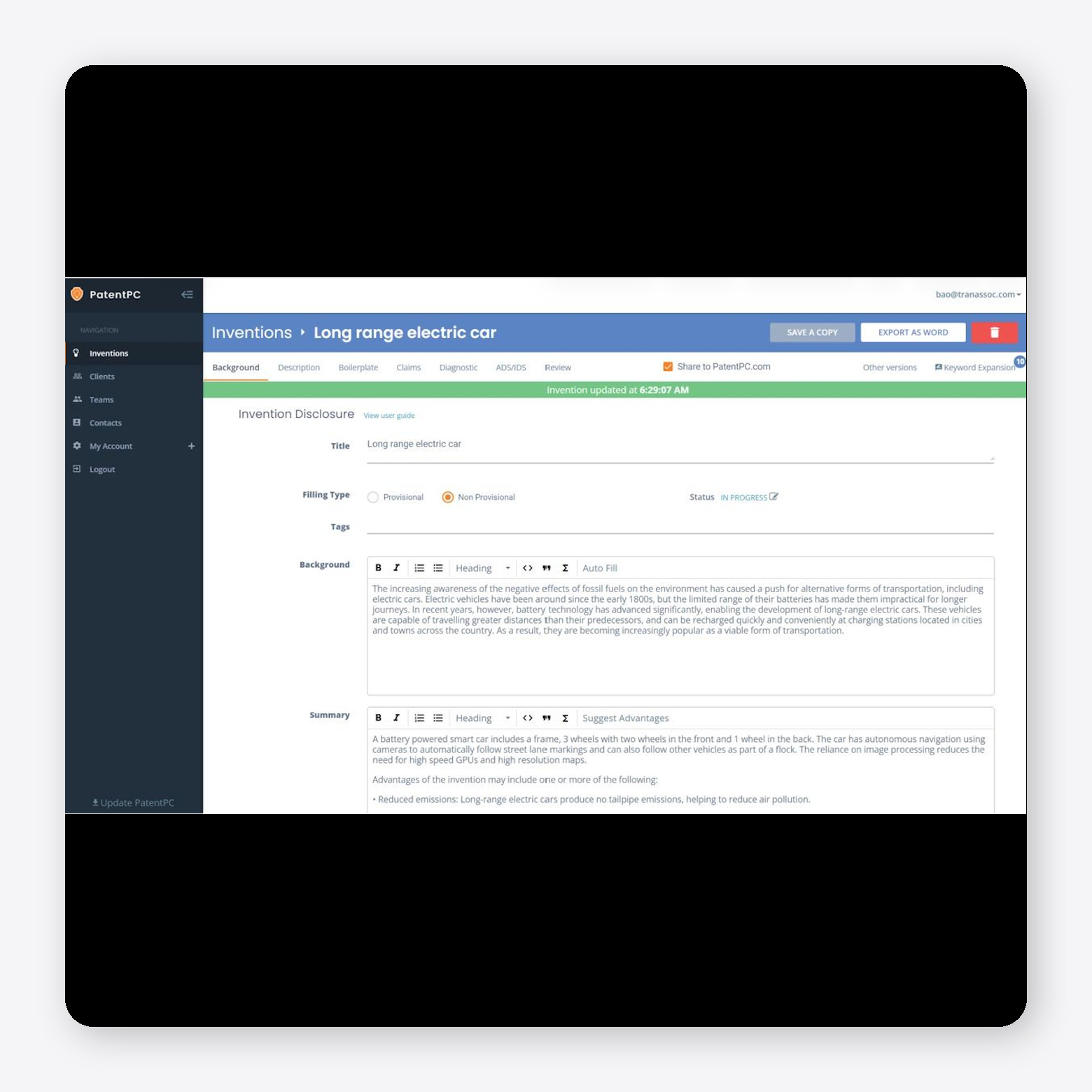
PowerPatent is an AI patent drafting tool that generates first-draft applications from invention inputs. It allows you to create sections such as background, summary, claims, and descriptions, along with figures and flowcharts, within a single workflow. PowerPatent includes tools for claim editing, diagnostics to flag issues like §112 problems, and collaboration features for working with inventors and attorneys.
Pros:
- Enables automation of repetitive drafting tasks, allowing more focus on claims and strategy
- Supports collaboration between inventors, attorneys, and teams within one workflow
Cons:
- Requires manual review and refinement of AI-generated drafts before filing
- Focuses heavily on drafting rather than full prosecution workflow depth
User testimonial: Not publicly available
What to Look for in AI Patent Prosecution Tools
AI patent prosecution tools vary widely in scope. Some help draft office action responses. Others support a broader workflow that includes rejection analysis, prior art review, claim amendment support, docket awareness, collaboration, and prosecution-history management.
The right tool depends on how your team handles prosecution today. A solo practitioner responding to occasional office actions may need a different system than an in-house IP team or prosecution group managing hundreds of active matters. But the evaluation standard should be the same: the tool must produce work that is structured, reviewable, source-linked, and useful to the attorney making the final call.
Key capabilities to evaluate:
- Office action analysis: Parses office actions, identifies rejection grounds, and links examiner reasoning to affected claims and cited references.
- Prior art retrieval and review: Retrieves cited prior art and helps attorneys evaluate how references map to claim language.
- Citation-backed response drafting: Generates editable arguments and amendments with links to source documents, claim language, cited art, and prosecution materials.
- Claim-level analysis: Breaks issues down by claim or limitation so attorneys can assess novelty, obviousness, and amendment strategy with precision.
- Connected patent workflows: Carries context across invention disclosure, application drafting, office action response, claim charting, invalidity analysis, and portfolio review.
- Security and review controls: Protects unpublished applications and client materials with access controls, source auditing, citation-backed outputs, and clear data-use policies.
AI Patent Prosecution Tools: Community Insights (Reddit & Practitioner Feedback)
Across multiple Reddit threads on r/patentlaw and r/legaltech, practitioner feedback is consistent on one point: AI prosecution tools are most useful when attorneys treat them as structured drafting and analysis support, not finished work product.
The strongest results come when practitioners provide detailed inputs, work section by section, and review every output against the claims, cited art, specification, and prosecution history. Used this way, AI can reduce repetitive drafting and help organize office action analysis. Used without careful review, it creates risk.
Common concerns include unsupported citations, uneven performance in complex technical areas, and proposed language that may narrow claim scope if accepted without scrutiny. Those concerns do not make AI unusable. They reinforce the standard that should govern every AI-assisted prosecution workflow: the tool can accelerate the work, but the attorney remains responsible for the strategy, the argument, and the filing.
Teams should evaluate tools for claim-level mapping, source-linked drafting, configurable workflows, and enterprise-grade security, including SOC 2 Type 2, ISO 27001, and, increasingly, ISO 42001.
Patlytics is built for that standard. It connects prosecution work to prior art search, claim charting, invalidity, FTO, infringement, and portfolio workflows in one system, reducing the manual handoffs that slow prosecution teams down.
The Future of AI Patent Prosecution Tools Is Already Here
AI patent prosecution tools are no longer experimental for many IP teams. Used correctly, they can reduce repetitive review, organize office action issues, support citation-linked drafting, and help attorneys move faster without losing control of the legal analysis.
The important distinction is how the tool is used. AI should not make prosecution decisions on its own. Attorneys still need to evaluate the cited art, assess claim scope, verify every argument, and decide what strategy best serves the application and the client.
Patlytics gives patent professionals a connected workspace for office action response drafting, prior art review, claim analysis, and prosecution workflow management — with the attorney remaining the final authority.
For teams ready to move from fragmented prosecution workflows to a more structured, AI-supported process, Patlytics is the place to start.
Try Patlytics today and see how much time you can get back.
AI Patent Prosecution Tool FAQs
What are AI patent drafting tools?
AI patent drafting tools help you create patent applications from invention inputs. You can upload documents or write a short description, and the tool generates sections like claims, specifications, abstracts, and figures. Most tools also let you reuse preferred language, apply templates, and adjust drafting style to match your requirements.
How do AI tools assist in the patent prosecution phase?
AI tools help you review office actions, identify rejections, and draft responses. They pull out key issues, link them to claims and cited prior art, and suggest arguments or amendments. Many tools also track deadlines, manage documents, and keep your work consistent across prosecution rounds.
Are AI patent prosecution tools accurate?
Accuracy depends on the tool and how you use it. Many platforms include citation links, source references, and structured outputs to support review. You still need to check arguments, verify citations, and apply legal judgment before filing.
10 Best AI Patent Prosecution Tools
Patent prosecution work is built on judgment, but much of the surrounding process is repetitive: parsing office actions, identifying rejection grounds, mapping cited art to claim language, drafting response sections, tracking deadlines, and maintaining consistency across matters.
AI patent prosecution tools are designed to reduce that mechanical work. The best platforms do not replace attorney judgment. They give practitioners a structured starting point: rejection summaries, claim-by-claim analysis, citation-linked drafting support, prior art context, and workflow tracking.
This guide compares leading AI patent prosecution tools based on how they support real prosecution workflows, including office action analysis, response drafting, claim review, prior art handling, collaboration, and deadline management.
Key takeaways:
- AI patent prosecution tools help attorneys review office actions, draft responses, track deadlines, and manage prior art, all without handling each step manually
- The best tools don't replace attorney judgment. They remove the mechanical work so attorneys can focus on strategy and claim scope
- Practitioners who get real value from these tools work section by section, review every output, and treat AI as a starting point rather than a finished product
What Is an AI Patent Prosecution Tool?
An AI patent prosecution tool helps you respond to office actions without doing everything by hand. It reads the examiner’s document and pulls out the key issues so you don’t have to search through pages of text.
It identifies each rejection and links it to the specific claims and prior art the examiner cited. You can quickly see what the examiner is saying, where the issues are, and what needs a response.
The tool then helps you draft that response. It can suggest argument structures, reuse language from past filings, and keep your wording consistent across applications.
Most tools also handle tracking. You can manage deadlines, assign work, and keep all documents in one place. This keeps prosecution organized and reduces the risk of missed steps.
Best AI Patent Prosecution Tools
For this list, we focused on tools built specifically for patent work, not general legal AI. We looked at how well each tool handles office actions, supports structured arguments, and fits into real IP workflows. We also considered ease of use, integration with existing systems, and practitioner feedback, where available.
1. Patlytics
Patlytics is an end-to-end, AI-native patent platform built for prosecution teams that need more than a standalone drafting assistant. It supports the prosecution workflow from invention disclosure and claim drafting through office action analysis, prior art review, response drafting, and related downstream analysis.
The platform helps attorneys move from raw prosecution materials to structured work product in one workspace. Users can upload office actions, review rejection issues, analyze cited references, map arguments to claim language, and draft responses with supporting context. Because Patlytics connects claims, prior art, cited references, and prosecution history, teams can maintain consistency across office action rounds without rebuilding the analysis from scratch.
Patlytics stands out because prosecution work does not sit in isolation. It is the only platform on the market combining drafting, prosecution, infringement, invalidity, FTO, SEP, and portfolio analysis in one system.
Pros:
- Provides faster review of patent documents through clear summaries and reduced need to read full filings
- Supports integration with existing tools and workflows through API connections
- Centralizes IP data and document management across multiple formats
- Trusted by large law firms and enterprise teams, including over 40% of Am Law 100 firms and Fortune 500
Cons:
- Capabilities go beyond drafting or search, which may not be necessary for teams focused on a single task
User testimonial:
“The tool is particularly useful when dealing with large amounts of patent data. It does a good job of organizing complex information in a way that feels easier to scan and compare. I also like how the AI summaries help reduce the need to read through entire documents just to get the key idea, which is very helpful when working under time pressure.” G2 user
2. Abigail
Abigail is an AI patent prosecution platform focused on drafting responses to office actions. You upload an office action or enter an application number, and the system pulls the prosecution history, identifies each rejection, and maps claims to cited prior art. It provides a claim-by-claim analysis using multiple specialized models, along with a draft response that links each argument back to source documents. Abigail also includes side-by-side comparison views, automated form generation, and built-in docketing with deadline tracking and examiner analytics.
Pros:
- Enables structured drafting of complete office action responses with linked source support
- Supports full prosecution workflow with docketing, deadline tracking, and form generation in one platform
Cons:
- Heavy focus on USPTO workflows with limited visibility into non-US jurisdiction support
- Dependence on structured workflows that may require adjustment from existing processes
User testimonial: Not publicly available
3. Ankar AI
Ankar AI is a patent platform that supports idea generation, drafting, prosecution, and infringement analysis in one system. It includes tools to create invention disclosures and full patent drafts, review office action rejections with suggested arguments and amendments, and analyze patents against products to assess potential infringement.
Pros:
- Provides configurable drafting workflows with citation-linked outputs tied to source documents
- Includes integrated tools for monitoring patents, products, and competitive IP activity
Cons:
- Broad platform scope that may exceed the needs for teams focused on a single use case
- Limited visibility into the depth of features for specific prosecution tasks
User testimonial: Not publicly available
4. Spellbook
Spellbook is an AI contract tool that works inside Microsoft Word to support drafting, review, and document workflows. It allows you to redline contracts, generate clauses from scratch or past precedents, ask questions with cited answers, and compare agreements against common market standards. Spellbook also includes multi-document workflow automation, clause libraries, and benchmarking tools, with support for different contract types, jurisdictions, and writing styles.
Pros:
- Supports the identification of errors, inconsistencies, and legal issues during document review
- Improves productivity and reduces reliance on outside counsel for routine legal work
Cons:
- Inaccurate or outdated legal citations that require manual verification
- Inconsistent formatting in the generated documents that needs post-editing
User testimonial:
“Sometimes I get citations to outdated or replaced laws, especially with statute citations. This is a significant weakness, as it cites outdated law. Also, in the drafting feature, if I don't provide very, very specific terms, Spellbook can be too literal. I'd prefer it to pull in more context from the edits and language of the draft document.” G2 user
5. PatentPal
PatentPal is an AI patent drafting tool that focuses on turning claims into supporting application content. You upload your claims, and the platform generates sections such as the abstract, summary, detailed description, and figures. It also creates flowcharts and block diagrams to match the claims, along with written explanations of each figure.
Pros:
- Enables creation of flowcharts and block diagrams aligned with application content
- Allows export of drafts into Word, Visio, or PowerPoint formats
Cons:
- Focuses primarily on drafting rather than the full prosecution workflow
- Requires manual review and editing before filing
User testimonial: Not publicly available
6. DeepIP
DeepIP is an AI patent platform that connects invention capture, drafting, prosecution, and portfolio analysis in a single workflow. It supports invention disclosures, claim-level patentability analysis, office action responses, and prior art search, with outputs linked to cited sources. DeepIP integrates with tools like Microsoft Word and IP management systems, allowing teams to work within existing workflows while managing documents, analysis, and collaboration in one place.
Pros:
- Enables drafting and prosecution support with suggested claims, amendments, and arguments
- Supports integration into existing workflows through Microsoft Word and other tools
Cons:
- Requires validation of AI-generated outputs before use in filings
- Less visibility into limitations or edge cases in complex prosecution scenarios
User testimonial: Not publicly available
7. Rowan Patents
Rowan Patents is a patent drafting and prosecution tool developed by Clarivate that brings claims, specification, and drawings into a single desktop application. It supports drafting, review, and prosecution workflows with built-in tools for part numbering, claim support tracking, and consistency checks across the application. Rowan Patents includes templates, drafting libraries, and terminology management to keep language aligned, along with GenAI assistance for drafting specific sections.
Pros:
- Supports drafting workflows with templates, libraries, and jurisdiction-specific requirements
- Includes built-in validation and error checking to maintain quality across documents
Cons:
- Focuses primarily on drafting rather than full prosecution workflow depth
- Requires manual review and control despite AI-assisted drafting features
User testimonial: Not publicly available
8. Solve Intelligence
Solve Intelligence is an AI patent platform that supports invention disclosures, drafting, prosecution, and claim charting within a single system. It allows you to generate invention disclosure forms, draft patent applications with configurable styles, and prepare office action responses with cited arguments and amendments. Solve Intelligence also includes tools for creating claim charts across use cases such as invalidity, infringement, and freedom-to-operate, along with features for managing disclosures, tracking work, and maintaining reusable templates across teams.
Pros:
- Provides faster patent drafting by automating repetitive sections and reducing manual effort
- Enables structured analysis of office actions with clear mapping of claims, rejections, and examiner reasoning
Cons:
- Requires a learning curve to use effectively and get consistent outputs
- Limits performance in certain domains, such as mechanical inventions, without detailed input
User testimonial:
“Like any new tool, there is a learning curve. But if you find instructions that make the software write the way you want, you can add them to a template so it writes that way going forward. Once you build up your template, there is minimal clean-up work to be done.” G2 user
9. PatSnap
PatSnap is an AI-powered patent and innovation platform that supports prior art search, drafting, office action response, and portfolio analysis within a single system. It provides access to large global datasets across patents, scientific literature, and technical research, and includes tools for novelty and freedom-to-operate searches, invention disclosures, and claim charting.
Pros:
- Provides patent search with advanced filtering that improves result relevance
- Supports multiple search strategies and customizable queries for deeper IP research
Cons:
- Makes some filters and features difficult to access or locate
- Requires learning curve for advanced search syntax and query building
User testimonial:
“There's nothing specific I don't like, however I would like to suggest having some sort of AI space where we can create prompts with AI in different sections or areas of Analytics.” G2 user
10. PowerPatent
PowerPatent is an AI patent drafting tool that generates first-draft applications from invention inputs. It allows you to create sections such as background, summary, claims, and descriptions, along with figures and flowcharts, within a single workflow. PowerPatent includes tools for claim editing, diagnostics to flag issues like §112 problems, and collaboration features for working with inventors and attorneys.
Pros:
- Enables automation of repetitive drafting tasks, allowing more focus on claims and strategy
- Supports collaboration between inventors, attorneys, and teams within one workflow
Cons:
- Requires manual review and refinement of AI-generated drafts before filing
- Focuses heavily on drafting rather than full prosecution workflow depth
User testimonial: Not publicly available
What to Look for in AI Patent Prosecution Tools
AI patent prosecution tools vary widely in scope. Some help draft office action responses. Others support a broader workflow that includes rejection analysis, prior art review, claim amendment support, docket awareness, collaboration, and prosecution-history management.
The right tool depends on how your team handles prosecution today. A solo practitioner responding to occasional office actions may need a different system than an in-house IP team or prosecution group managing hundreds of active matters. But the evaluation standard should be the same: the tool must produce work that is structured, reviewable, source-linked, and useful to the attorney making the final call.
Key capabilities to evaluate:
- Office action analysis: Parses office actions, identifies rejection grounds, and links examiner reasoning to affected claims and cited references.
- Prior art retrieval and review: Retrieves cited prior art and helps attorneys evaluate how references map to claim language.
- Citation-backed response drafting: Generates editable arguments and amendments with links to source documents, claim language, cited art, and prosecution materials.
- Claim-level analysis: Breaks issues down by claim or limitation so attorneys can assess novelty, obviousness, and amendment strategy with precision.
- Connected patent workflows: Carries context across invention disclosure, application drafting, office action response, claim charting, invalidity analysis, and portfolio review.
- Security and review controls: Protects unpublished applications and client materials with access controls, source auditing, citation-backed outputs, and clear data-use policies.
AI Patent Prosecution Tools: Community Insights (Reddit & Practitioner Feedback)
Across multiple Reddit threads on r/patentlaw and r/legaltech, practitioner feedback is consistent on one point: AI prosecution tools are most useful when attorneys treat them as structured drafting and analysis support, not finished work product.
The strongest results come when practitioners provide detailed inputs, work section by section, and review every output against the claims, cited art, specification, and prosecution history. Used this way, AI can reduce repetitive drafting and help organize office action analysis. Used without careful review, it creates risk.
Common concerns include unsupported citations, uneven performance in complex technical areas, and proposed language that may narrow claim scope if accepted without scrutiny. Those concerns do not make AI unusable. They reinforce the standard that should govern every AI-assisted prosecution workflow: the tool can accelerate the work, but the attorney remains responsible for the strategy, the argument, and the filing.
Teams should evaluate tools for claim-level mapping, source-linked drafting, configurable workflows, and enterprise-grade security, including SOC 2 Type 2, ISO 27001, and, increasingly, ISO 42001.
Patlytics is built for that standard. It connects prosecution work to prior art search, claim charting, invalidity, FTO, infringement, and portfolio workflows in one system, reducing the manual handoffs that slow prosecution teams down.
The Future of AI Patent Prosecution Tools Is Already Here
AI patent prosecution tools are no longer experimental for many IP teams. Used correctly, they can reduce repetitive review, organize office action issues, support citation-linked drafting, and help attorneys move faster without losing control of the legal analysis.
The important distinction is how the tool is used. AI should not make prosecution decisions on its own. Attorneys still need to evaluate the cited art, assess claim scope, verify every argument, and decide what strategy best serves the application and the client.
Patlytics gives patent professionals a connected workspace for office action response drafting, prior art review, claim analysis, and prosecution workflow management — with the attorney remaining the final authority.
For teams ready to move from fragmented prosecution workflows to a more structured, AI-supported process, Patlytics is the place to start.
Try Patlytics today and see how much time you can get back.
AI Patent Prosecution Tool FAQs
What are AI patent drafting tools?
AI patent drafting tools help you create patent applications from invention inputs. You can upload documents or write a short description, and the tool generates sections like claims, specifications, abstracts, and figures. Most tools also let you reuse preferred language, apply templates, and adjust drafting style to match your requirements.
How do AI tools assist in the patent prosecution phase?
AI tools help you review office actions, identify rejections, and draft responses. They pull out key issues, link them to claims and cited prior art, and suggest arguments or amendments. Many tools also track deadlines, manage documents, and keep your work consistent across prosecution rounds.
Are AI patent prosecution tools accurate?
Accuracy depends on the tool and how you use it. Many platforms include citation links, source references, and structured outputs to support review. You still need to check arguments, verify citations, and apply legal judgment before filing.
The Premier AI-Powered Patent Platform
Reduce cycle times. Increase margins. Deliver winning IP outcomes.
Book a DemoThe Premier AI-Powered
Patent Platform
Reduce cycle times. Increase margins. Deliver winning IP outcomes.