Patlytics Adds Chemical Structure Visualization to Life Sciences Capabilities























Patlytics is now adding chemical compounds for patent drafting to its market-leading, end-to-end patent platform, building off last week’s introduction of sequence listing management for Life Sciences practitioners.
A single chemical patent application can contain hundreds of structural drawings, and those structures need to appear accurately within the specification and claims.
Traditional drafting workflows handle this process poorly. Structural drawings sit in separate files or PDFs, while claim language lives in a text editor. Practitioners manually cross-reference between the two, which creates friction and introduces risk every time a structure needs to be referenced or updated. The overall process is tedious and time consuming.
Now, Patlytics will treat chemical structures as context objects in the drafting workflow, the same way sequences are handled. Practitioners can insert structural images directly into the editor, placing them alongside the relevant claim language rather than in a separate document. Handling chemical structures this way streamlines the drafting process, saving time and ensuring accuracy.
The platform also supports superscript, subscript, and LaTeX formatting for chemical formulas and mathematical expressions, so the application reads as intended from the start.
Coming soon: Support for creating/editing 2D structures and inserting chemical structures within patent drafts
Overview
- Manage chemical compounds uploaded for your application
- Search for known compounds, or upload your own through commonly supported molecule file types
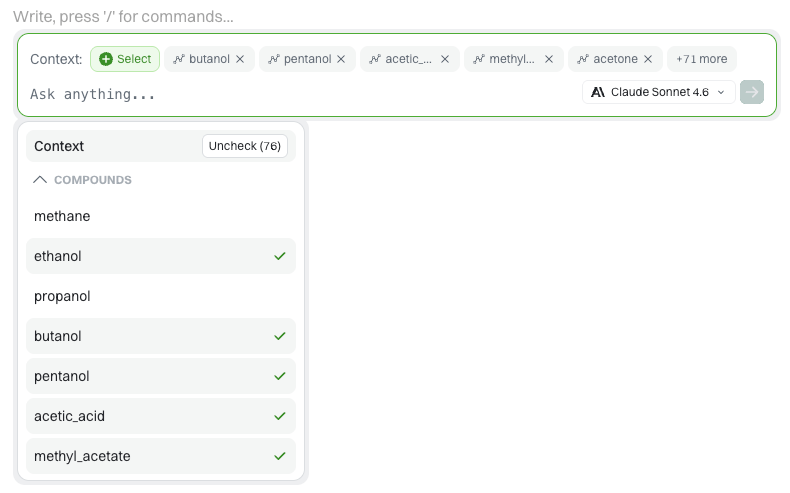
- Include chemical compounds in context while drafting your application
Instructions
- From any draft, click the + icon to insert and manage compounds:
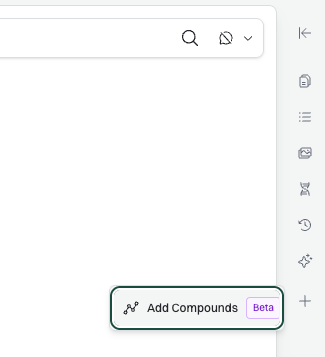
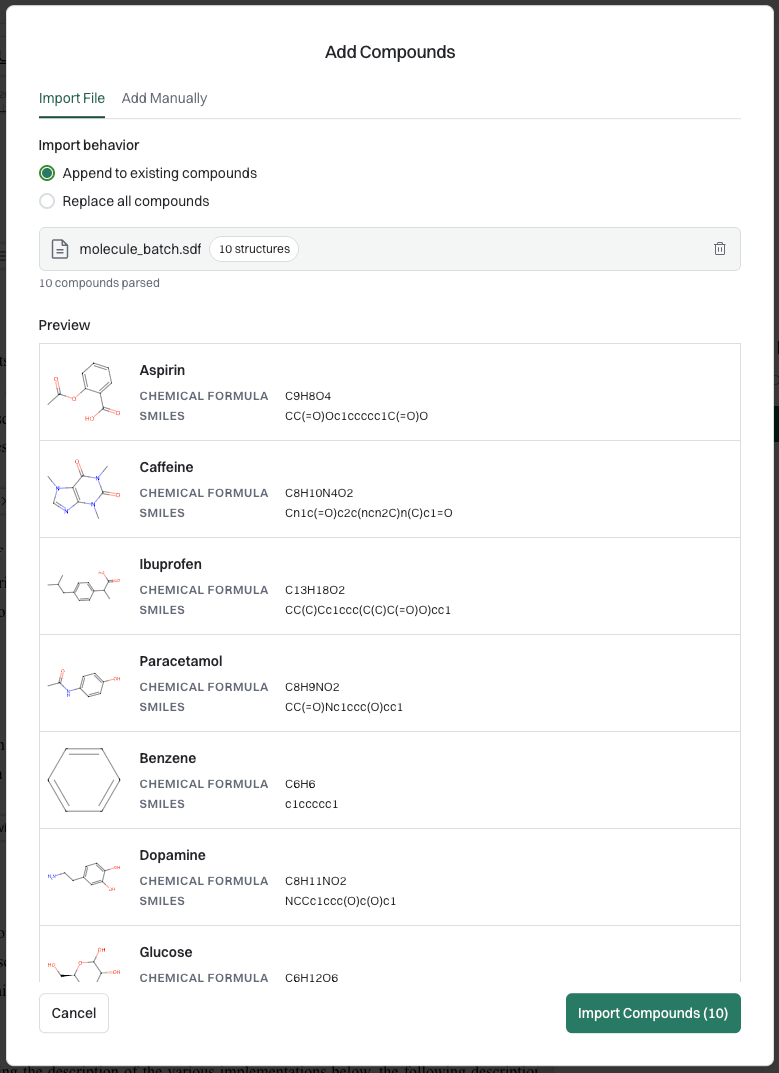
2. Import your compounds from supported molecule file types, or manually search or enter SMILES:
3. Import File
- Append option will add the imported compounds to the existing ones in the draft
- Replace option will replace all existing compounds with the ones being imported
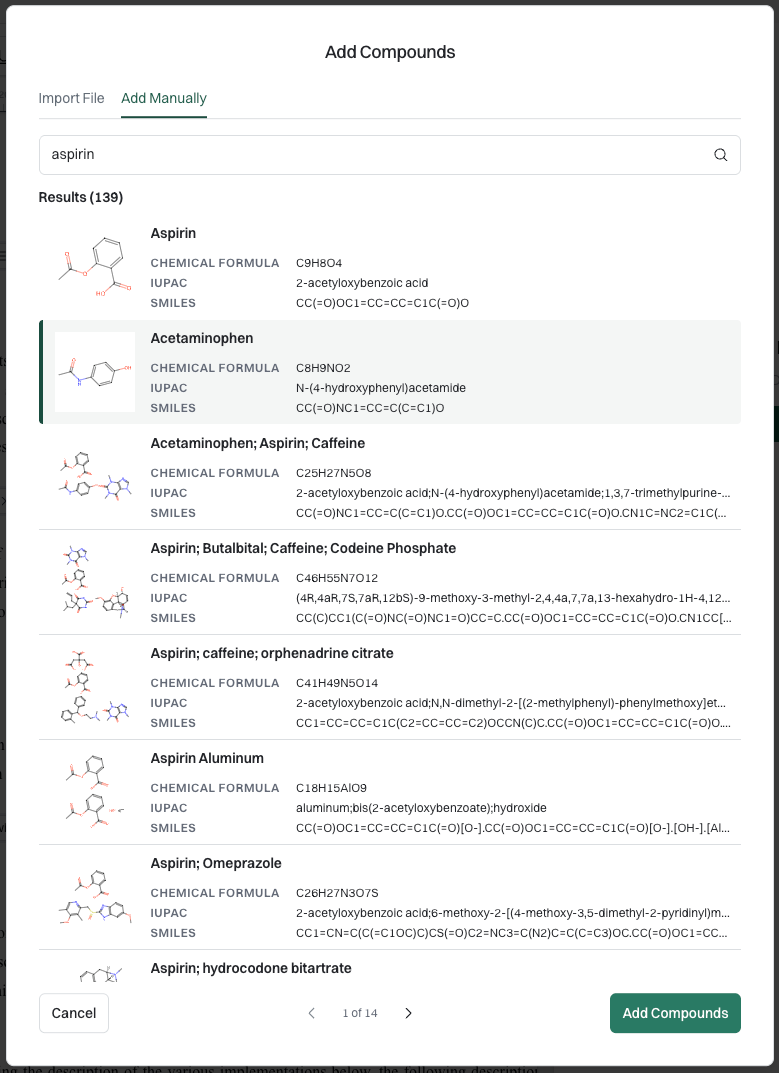
a. Add Manually
- Can search any known compounds through commonly accepted identifiers and browse through search results
- Can also paste in SMILES which is helpful for novel compounds
- Click a search result to add them to the draft
b. Once compounds are confirmed, they will be shown in the main view:
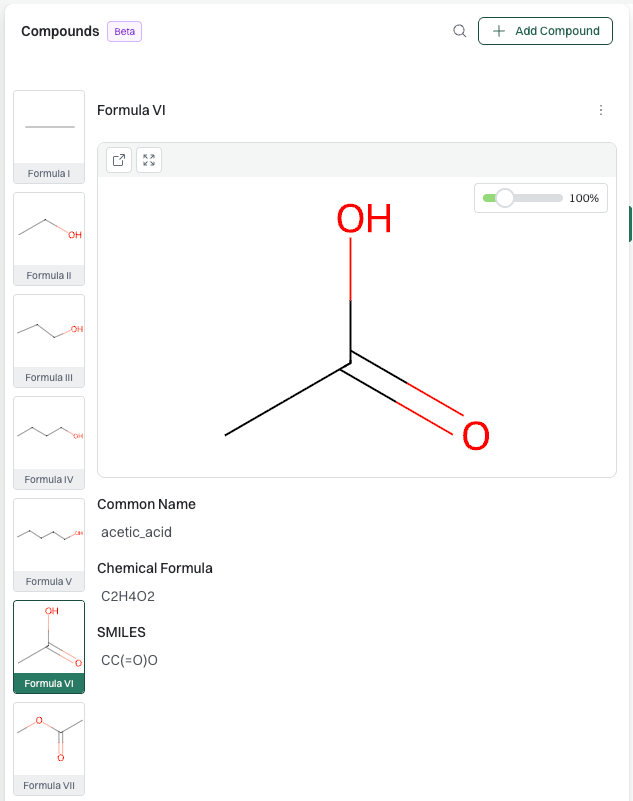
4. Imported compounds can now be controlled as context and prompting or interacting with the chat:
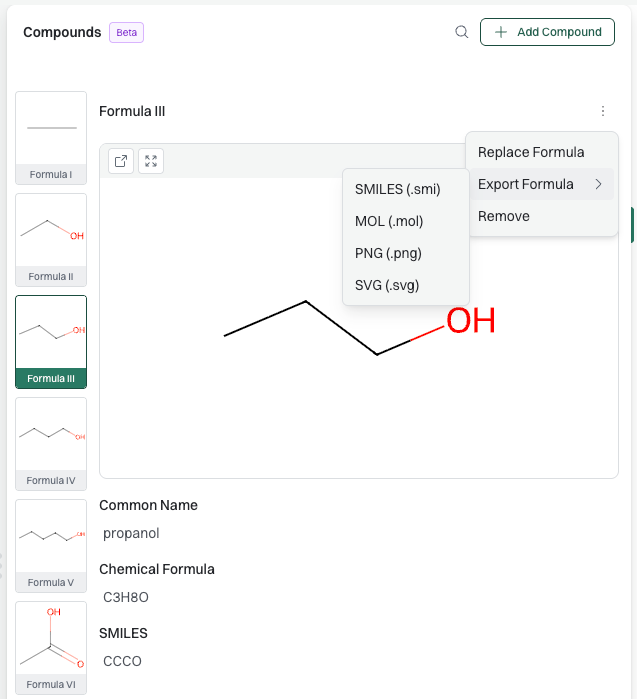
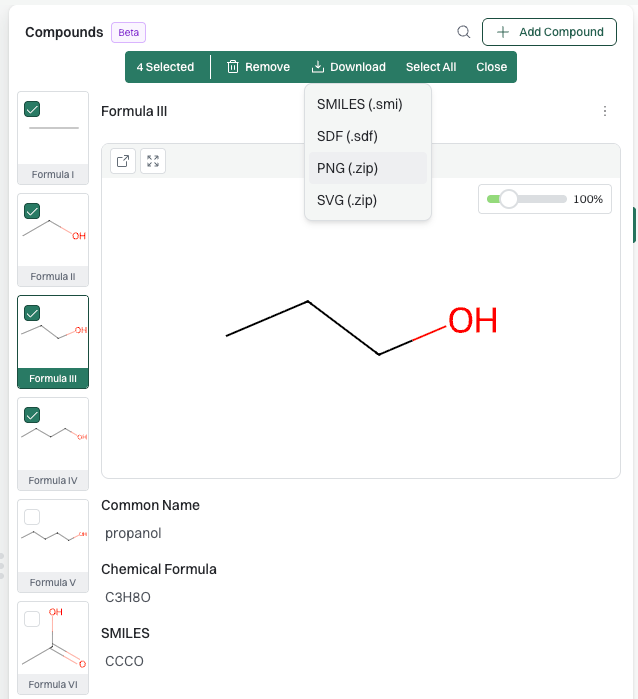
5. Compounds can be replaced, reordered, deleted, and exported in various formats:
Book a demo to see how Patlytics can support your life sciences patent work.
The Premier AI-Powered
Patent Platform
Reduce cycle times. Increase margins. Deliver winning IP outcomes.