11 Best AI Legal Tools in 2026: From General Drafts to Enterprise IP Workflow
September 11, 2026

AI is becoming part of everyday legal work. Lawyers now use it to draft documents, review contracts, summarize cases, and support legal research. About 80% of law firm professionals expect AI to change how legal work is performed over the next five years.
But legal AI is no longer one category. While some tools help with patent drafting and research, others support contract review, billing, or case management. Patent professionals also need software that can draft applications, manage prosecution, and analyze portfolios.
This guide compares the best AI legal tools across those categories. Whether you work in a law firm, an in-house legal team, or an IP practice, you'll find software that fits the work you do.
Key Takeaways
- AI legal tools now cover distinct workflows, including drafting, research, contract review, case management, and patent analysis.
- General AI tools can help with early drafts, summaries, and brainstorming, but specialized legal workflows need purpose-built software.
- Patent teams should look for tools that support drafting, prosecution, infringement analysis, and portfolio review in one system.
Best AI Legal Tools: Quick Review
AI legal tools now support a wide range of legal work, from research and drafting to contract review, billing, intake, and patent analysis. The right tool depends on the type of work your team handles, how much structure you need, and whether the software fits your existing workflow.
We chose the tools below by reviewing drafting and analytics capabilities, litigation and IP use cases, workflow integrations, ease of use, and G2 review. We also looked at whether each tool supports a focused legal workflow or broader general-purpose AI assistance.

Best AI Legal Tools for End-to-End AI Patent Drafting, Prosecution, and Litigation Analysis
These tools are purpose-built platforms that support the entire patent lifecycle, from invention disclosure and patent drafting to prosecution, prior art analysis, claim chart generation, portfolio management, and litigation support. They help IP professionals automate time-intensive workflows, improve drafting quality, and accelerate patent-related work.
1. Patlytics
Best for: End-to-end patent lifecycle management
Patlytics is an AI-native patent platform built to support work across the patent lifecycle. It covers invention disclosure, drafting, analysis, infringement detection, prosecution, FTO, SEP, and portfolio review. Instead of forcing teams to stitch together separate tools, Patlytics brings core IP workflows into one platform for patent attorneys, IP teams and enterprises.
The platform helps reduce repetitive work while improving the quality and usability of each output. Teams can move from source materials to structured drafts, analyze prior art, generate claim charts, and evaluate portfolio assets without switching systems. That makes it easier to handle high-volume work while keeping attorney review and judgment central.
Patlytics is trusted by large law firms and enterprise teams, including over 40% of Am Law 100 firms and Fortune 500 companies. It is the only platform on the market that combines drafting, prosecution, infringement, invalidity, FTO, SEP, and portfolio analysis in one system.

Key features:
- Patent application drafting: Creates structured patent drafts from source materials, technical documents, figures, and invention disclosures.
- Office action analysis and response: Reviews Office Action materials, supports response strategy, and drafts responses with contextual AI.
- Infringement detection: Crawls publicly available evidence of use and generates limitation-by-limitation claim charts; portfolio heatmaps cover up to 2000 patents at a time.
- Invalidity analysis: Combines prior art search, §102, §103, and §112 analysis with citation-backed claim charting.
- Cross-module workflows: Allows teams to move drafts into prior art search, FTO, and §112 review without leaving the system.
- Security and compliance: Supports SOC 2 Type 2, ISO 27001, and ISO 42001, with encrypted and segregated customer data.
Pros:
- Single platform that covers drafting, analysis, infringement detection, and portfolio management without switching tools
- Responsive customer support that users consistently describe as trustworthy and attentive
Cons:
- Built for teams whose work spans multiple IP workflows, solo practitioners with a single narrow focus may prefer a point tool
2. PatentPal
Best for: One-click generation of structural flowcharts and block diagrams from finalized claims
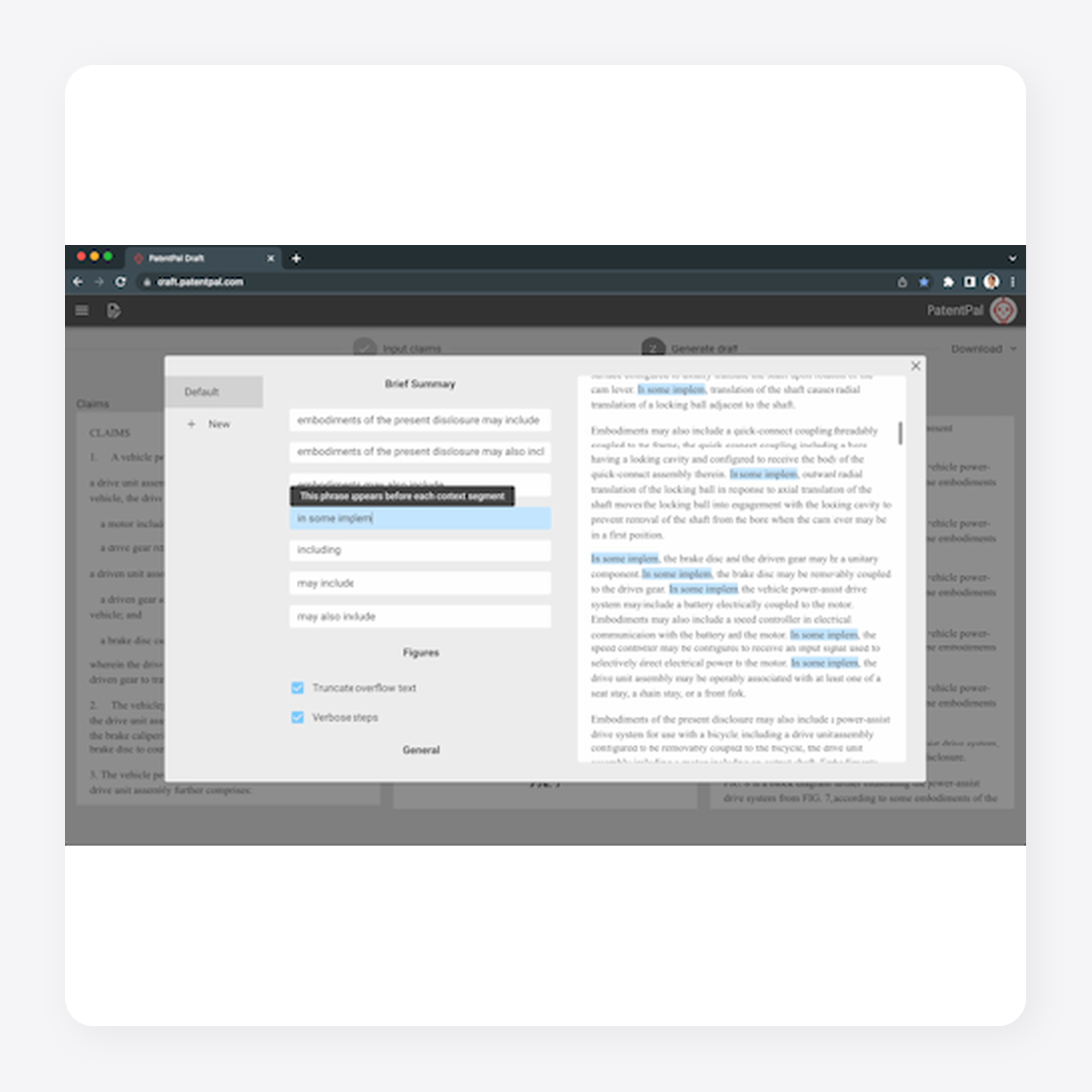
PatentPal is an AI patent drafting platform that automates portions of the patent application drafting process. It generates specification content from uploaded claim sets and uses generative AI to produce supporting text and technical diagrams. The platform also enables users to apply their own drafting preferences, creating outputs that align more closely with their preferred writing style before exporting documents for further review.
Key features:
- AI-assisted specification drafting: Generates specifications, abstracts, and summaries from uploaded patent claims.
- Automatic figure generation: Creates flowcharts, block diagrams, and detailed figure descriptions to support patent applications.
- Custom drafting profiles: Allows users to save preferred terminology and drafting styles for consistent document generation.
Pros:
- Exports to standard formats such as Word, Visio, and PowerPoint.
- Generates automated images such as flowcharts and block diagrams.
Cons:
- Lacks broader workflow features like prior art searching and portfolio management.
- Requires extensive human review.
3. Specifio
Best for: Auto-generated patent application shells from claims
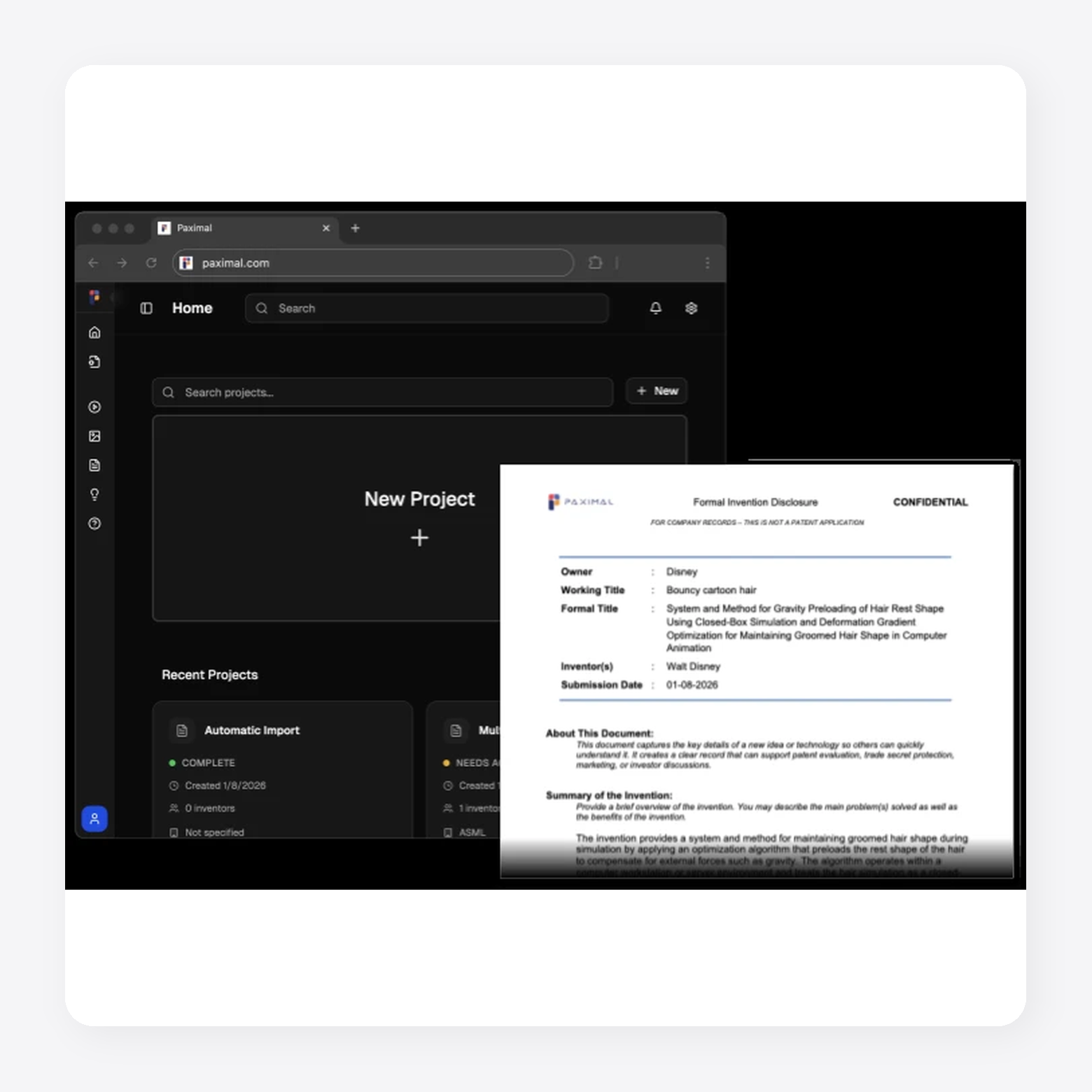
Specifio is an AI patent drafting software that helps patent practitioners generate application shells from attorney-drafted claims. It has been acquired and is currently called Paximal, which builds on Specifio’s claim-to-draft workflow for patent application generation.
Key features:
- Claim-to-specification drafting: Converts attorney-drafted software method claims into first-draft patent specifications.
- Auto-generated figures: Creates system and method figures to support software patent application drafts.
- Application shell generation: Produces a structured draft framework attorneys can revise and complete.
Pros:
- Creates strong first drafts for patent applications, with support for more advanced patent drafting use cases.
- Speeds up patent and trademark application drafting compared with manual document creation.
Cons:
- Auto-generated drafts may include inaccuracies, so attorneys may spend extra time correcting and refining the output.
- Personalization and customization options may not fully adapt to each user’s drafting style, needs or preferences.
Best AI Legal Tools for Broad, General-Purpose Law Firm Use Cases
These tools are all-in-one platforms that streamline core legal workflows, including legal research, document drafting, contract review, case analysis, and matter management. By combining large language models with legal databases and workflow automation, they help lawyers complete routine tasks faster, reduce manual effort, and improve productivity.
1. CoCounsel
Best for: General legal research, analysis, and drafting
CoCounsel is a legal AI assistant from Thomson Reuters for legal research, document review, analysis and drafting. It helps legal teams move from plain-language requests to polished work product by building matter-specific plans and drawing from Westlaw, Practical Law and a firm’s own knowledge. CoCounsel also shows its reasoning path and citations, so attorneys can review and verify outputs before using them

Key features:
- Plain-language legal prompting: Lets users describe research, drafting, review, or analysis tasks without complex prompt setup.
- Authoritative legal grounding: Uses Westlaw, Practical Law and firm knowledge to support legal work with trusted sources.
- Matter-specific planning: Interprets requests, builds a legal approach, and works through tasks step by step.
Pros:
- Offers a responsive, user-friendly interface with a straightforward initial setup.
- Produces useful legal work product with accurate citations and document-ready case excerpts.
Cons:
- May struggle to review large contracts or documents and provide useful input.
- Can require extra steps to apply user preferences, such as setting a default jurisdiction.
2. Harvey AI
Best for: Enterprise legal workflow automation
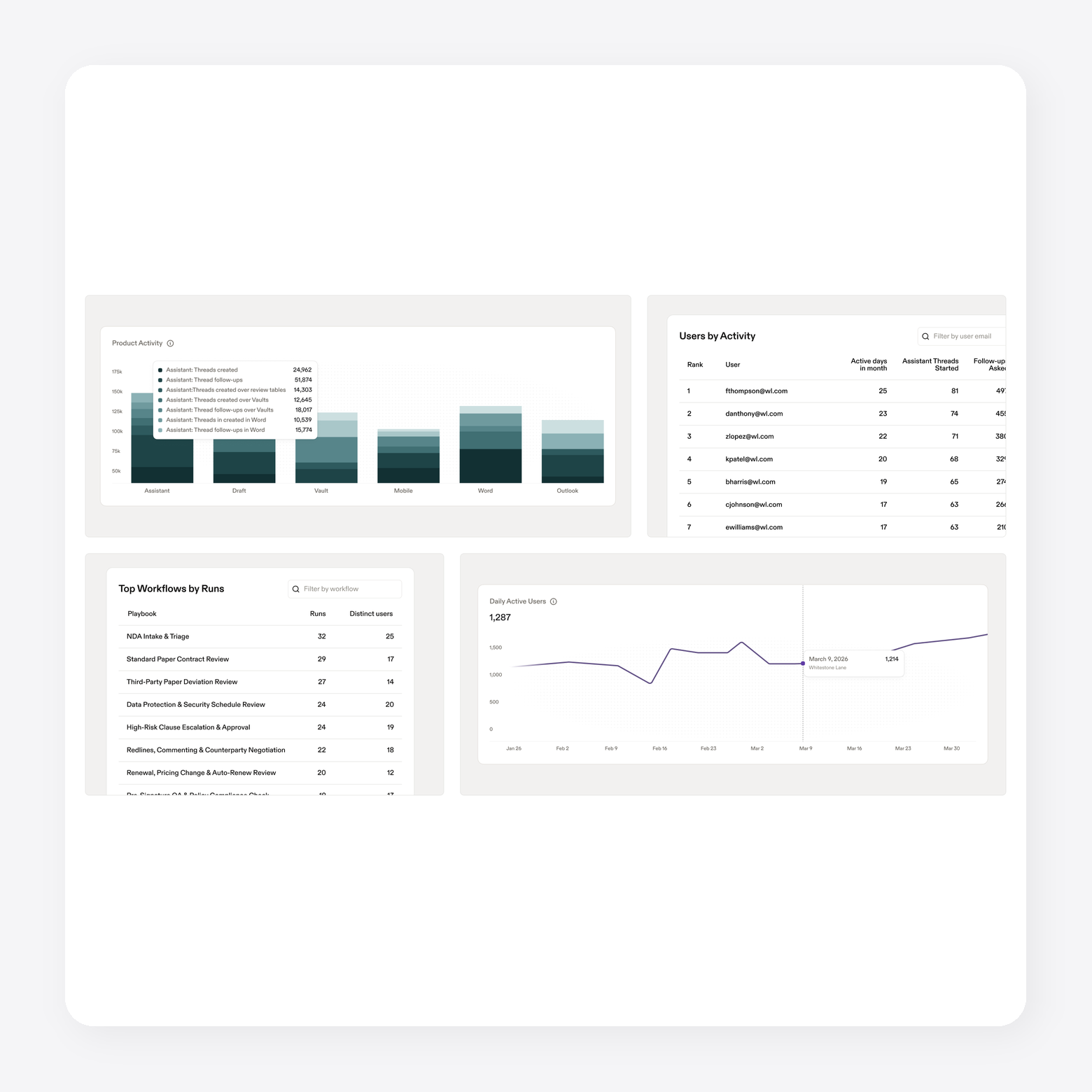
Harvey is an AI legal platform for law firms, in-house teams and professional services teams. It supports legal research, drafting, document analysis, due diligence, contract review, and complex workflows. Harvey also integrates with tools like Word, Outlook, iManage, NetDocuments, SharePoint, Google Drive, and Ironclad.
Key features:
- Legal AI assistant: Helps users ask questions, analyze documents and draft legal work product.
- Workflow agents: Runs pre-built agents or custom workflows for firm-specific legal tasks.
- Document vault: Stores, organizes, and bulk analyzes legal documents in a secure workspace.
Pros:
- Connects with common legal tools and document systems, which helps teams work inside existing workflows.
- Provides enterprise security and compliance controls for larger firms and in-house legal teams.
Cons:
- May require setup and workflow design before teams can get full value from custom agents.
- Focuses on broad legal work, rather than specialized patent drafting, prosecution, or portfolio analysis workflows.
3. Lexis+ AI
Best for: Legal research and citation-backed drafting
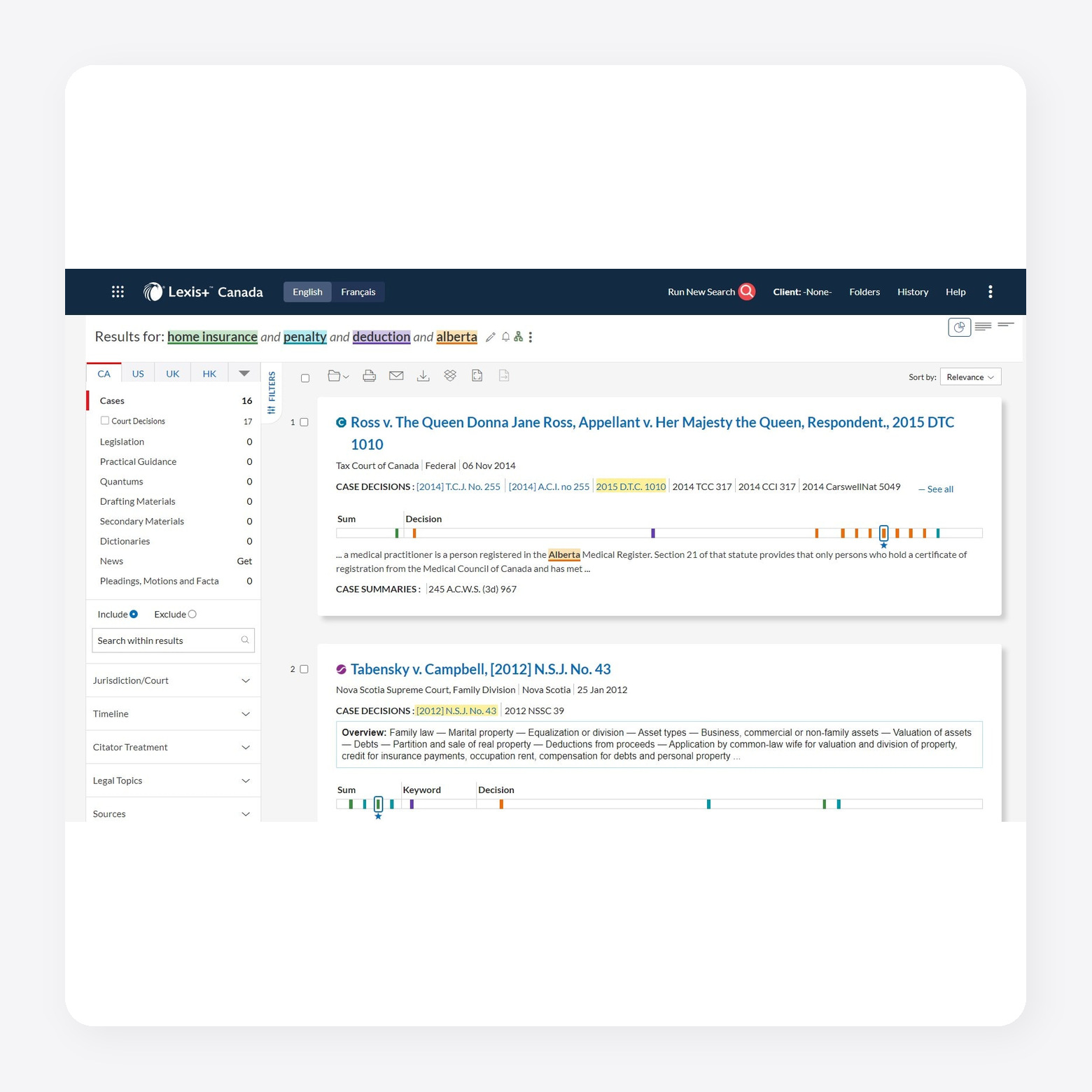
Lexis+ AI is now called Lexis+ with Protégé. It is a legal AI workflow solution for drafting, research, and analysis. It combines the Protégé AI assistant with LexisNexis legal content, Shepard’s citations, Practical Guidance, web sources and firm documents. Legal teams can use it to draft agreements, motions, briefs, complaints, and client communications while tracing work back to legal sources.
Key features:
- Legal AI assistant: Powers drafting, research and analysis workflows across LexisNexis tools.
- Legal drafting support: Drafts and refines agreements, contracts, motions, briefs, complaints and client communications.
- Research grounding: Uses LexisNexis legal content, firm documents, web sources and news sources for traceable answers.
Pros:
- Grounds legal drafting and research in LexisNexis sources, Practical Guidance and Shepard’s citations.
- Supports connected drafting, research, analysis and review workflows in one legal AI workspace.
Cons:
- Works best for teams already using LexisNexis content or document management integrations.
- Focuses on broad legal workflows, rather than end-to-end patent drafting, prosecution or portfolio analysis.
Best AI Legal Tools for Running a Law Firm (Billing, Intake, Ops)
These tools help firms manage the business side of legal practice, including client intake, billing, time tracking, scheduling, document management, and case administration. By automating administrative workflows, they reduce manual work, improve efficiency, and free legal teams to focus more on client matters.
1. Clio
Best for: Law firm operations, billing, and client management
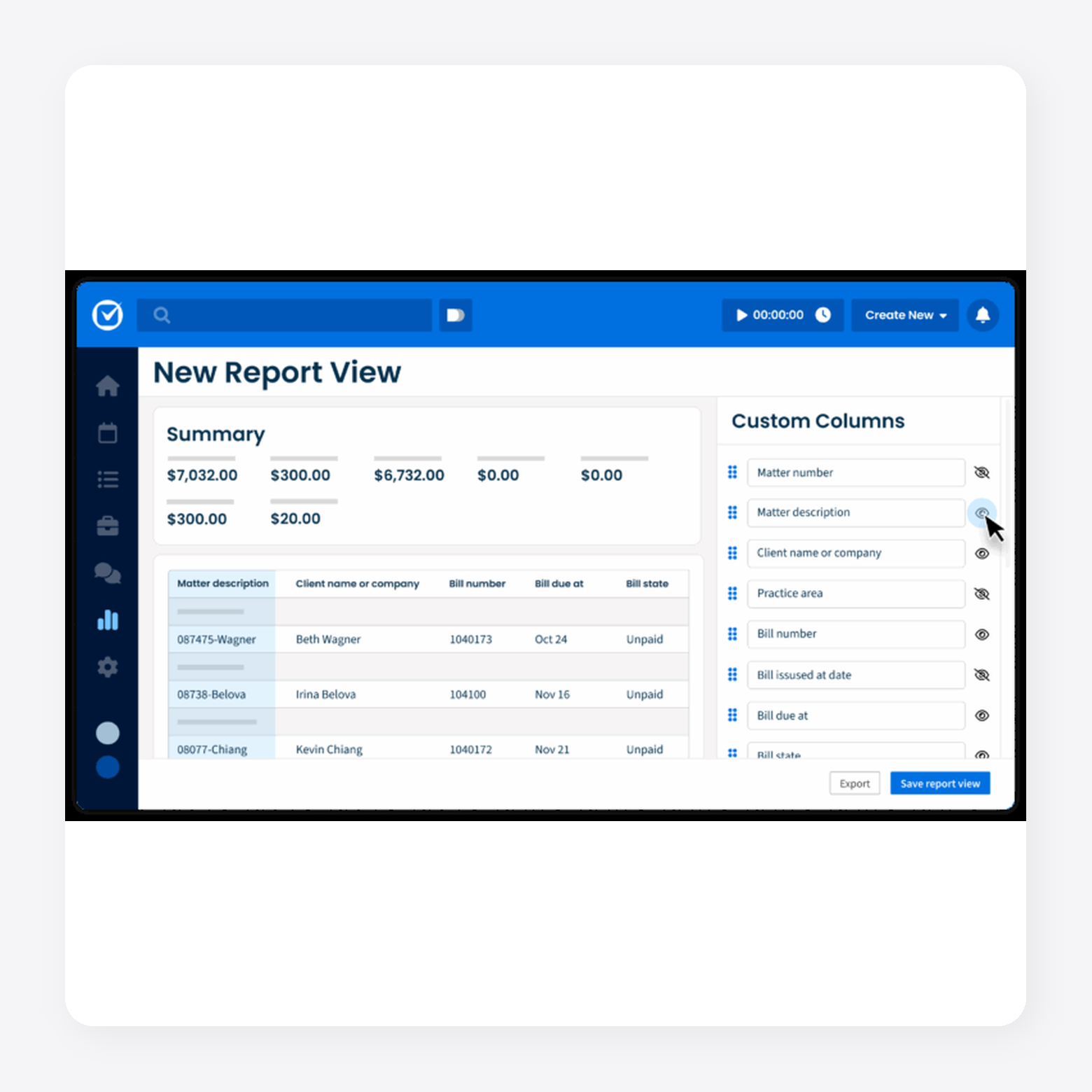
Clio is cloud-based legal practice management software for running a law firm. It helps teams manage cases, documents, billing, payments, client communication, calendars and tasks from one workspace. Clio uses AI to turn court documents into calendar events, generate draft invoices, surface matter activity and reduce manual data entry across routine workflows.
Key features:
- Case management: Organizes cases, contacts, deadlines, and matter details in one workspace.
- Legal document management: Stores, shares, generates, and e-signs documents from the same system.
- AI practice management: Converts court documents into calendar events and routine work into reviewable actions.
Pros:
- Offers a user-friendly interface, hyperlinked data, and integrated search for finding contacts, matters, and files.
- Supports remote case management with cloud access, shared notes, tasks, schedules, logs, billing, payments, and communication tools.
Cons:
- Requires time to learn the platform’s full capabilities, so users may not get full value right away.
- Customer support can take longer when users need to move through AI chat before reaching a person.
2. Ironclad
Best for: AI contract lifecycle management
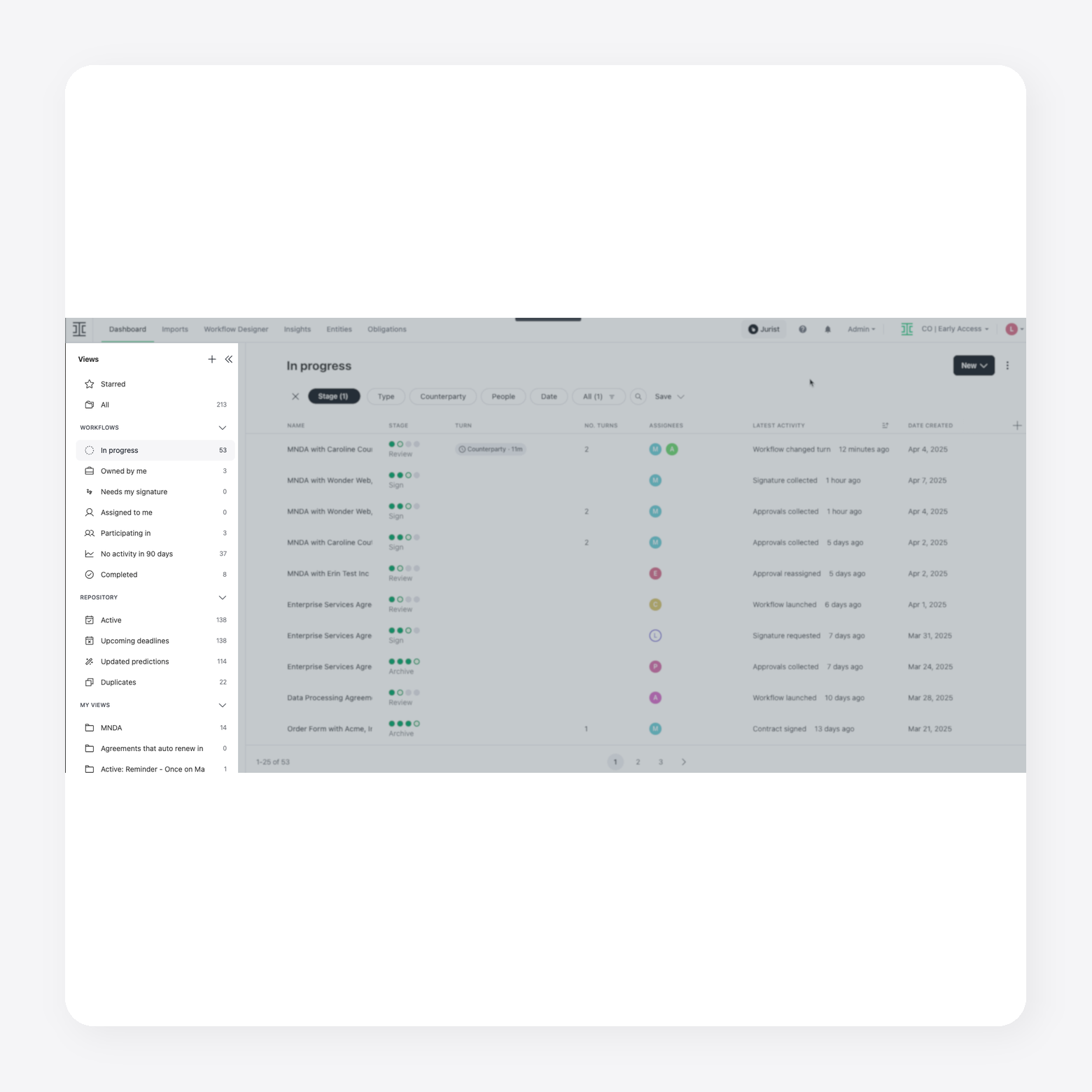
Ironclad is an AI contract lifecycle management platform for legal, sales, procurement and operations teams. It helps teams create, review, approve, execute, analyze, and manage contracts from one workspace. Ironclad uses no-code workflow automation, contract data, integrations and its Jurist AI assistant to support drafting, redlining, review, risk analysis and contract insights.
Key features:
- Contract lifecycle management: Manages contracts from intake and review through approval, signature, and post-signature analysis.
- No-code workflow automation: Lets teams build contract workflows that trigger reviews, approvals and other actions.
- AI contract support: Uses AI to assist with drafting, redlining, contract review, risk analysis and performance insights.
Pros:
- Offers a user-friendly interface for searching, uploading, redlining, tracking updates, and communicating across teams.
- Uses Jurist to review higher-risk clauses, suggest internal mitigation strategies and check standard clauses quickly.
Cons:
- Comment visibility can feel limited because users may need to enter edit mode to see who left a comment.
- Repository search may depend on exact metadata or tags, and the interface can take time to learn for users new to CLM tools.
3. Smokeball
Best for: AI legal practice management and billing
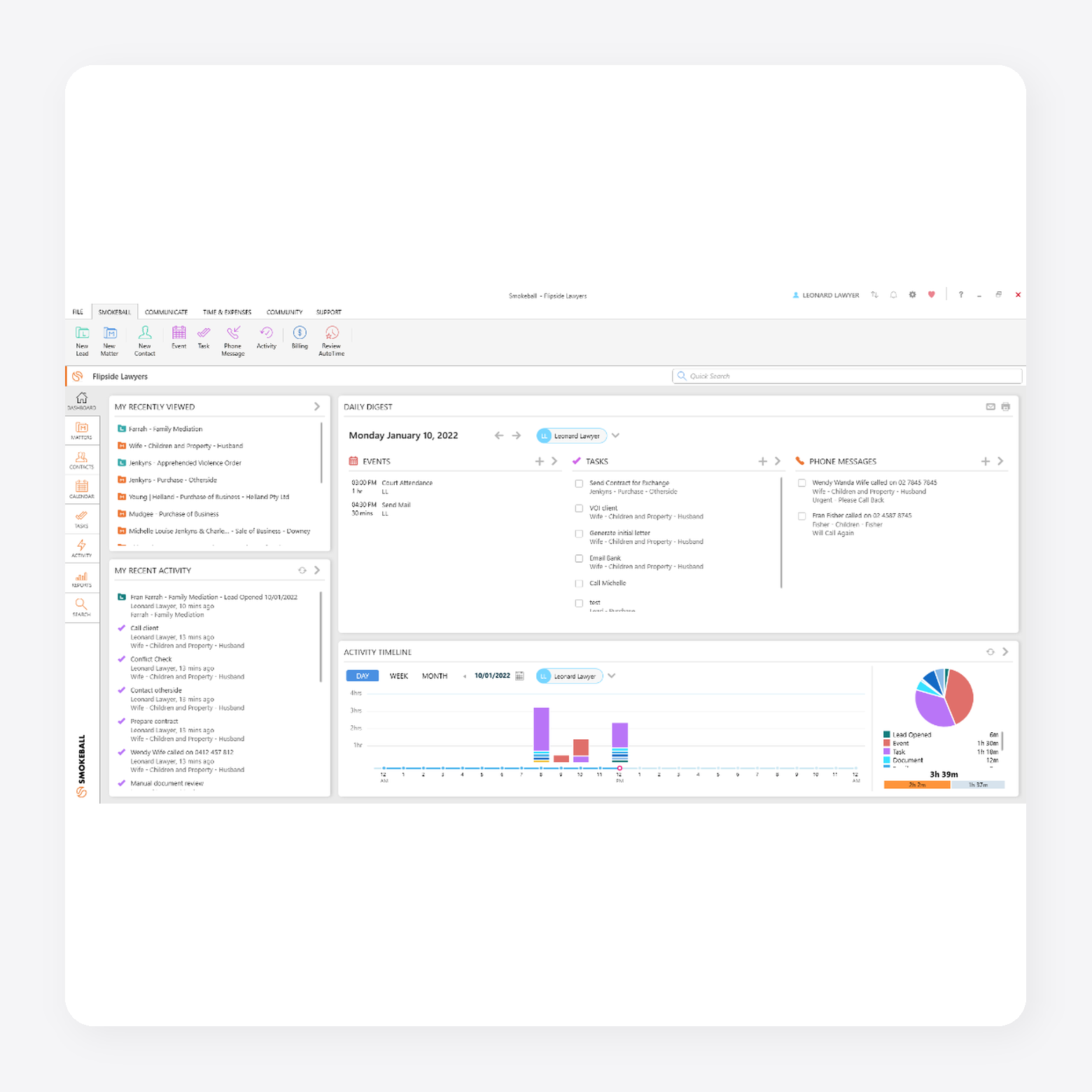
Smokeball is AI-powered legal practice management software for law firms. It helps teams manage intake, matters, documents, emails, calendars, billing, trust accounting, and client communication in one place. Smokeball AI and Archie AI work inside matters to answer case questions, summarize correspondence, draft client communications and support intake workflows.
Key features:
- Archie AI matter assistant: Answers matter questions, summarizes case details and drafts client correspondence.
- Case management: Organizes matter details, contacts, emails, documents, and calendar events in one workspace.
- Automatic time tracking: Captures time across Smokeball, Microsoft Word, and Outlook.
Pros:
- Offers a user-friendly interface with customizable matter fields and strong template and orm capabilities.
- Keeps matters organized with an easy-to-use interface, Archie AI support, email tagging and file uploads.
Cons:
- Creating templates and autofill form fields can take time to learn, especially for small firms without a dedicated setup person.
Best AI Legal Tools for General Purpose and Initial Drafting
These are general-purpose AI tools that help legal teams with fast, high-quality legal writing and everyday drafting tasks. While they can improve productivity, they aren't purpose-built for legal workflows or backed by specialized legal research databases and practice-specific features.
1. Claude
Best for: General-purpose legal drafting and analysis
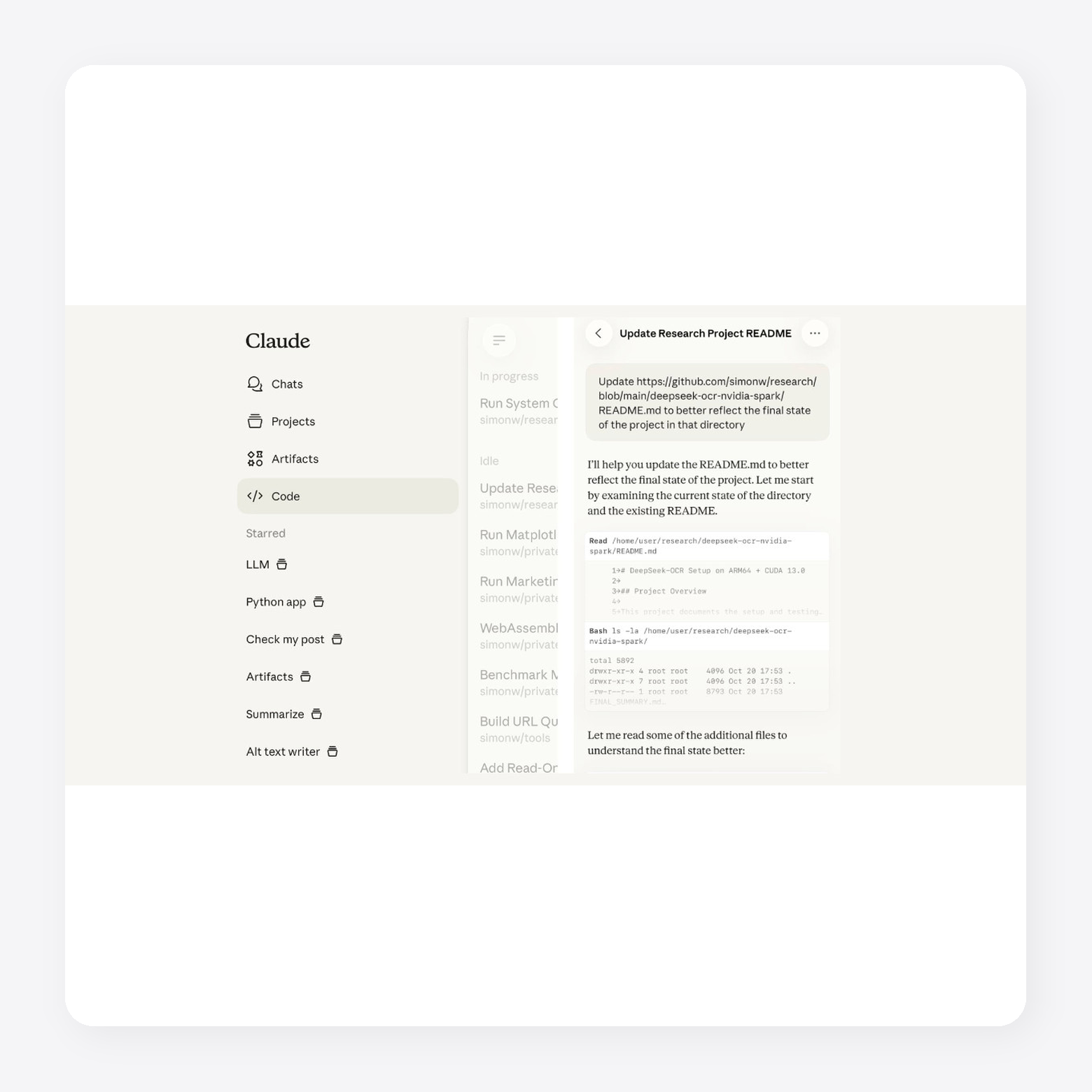
Claude is a general-purpose AI assistant from Anthropic. It supports writing, research, analysis, coding, document review, and file-based work. Legal teams can use it to draft first-pass content, summarize documents, compare text, and organize research. Claude also supports longer knowledge-work tasks through Claude Cowork, which can work across local files and applications to prepare finished deliverables for review.
Key features:
- Legal drafting support: Helps draft first-pass emails, memos, summaries, outlines and other legal content.
- Document analysis: Reviews uploaded materials, extracts information, and summarizes dense documents.
- Research synthesis: Organizes findings across sources and turns them into structured summaries.
Pros:
- Handles longer conversations and detailed content well, with structured responses for research, writing and complex topics.
- Follows instructions closely and keeps long, complex discussions structured and easy to follow.
Cons:
- Can give overly cautious or lengthy answers, and specialized topics may still require fact-checking.
- May need verification for technical topics and can hit usage limits during longer work sessions.
2. ChatGPT
Best for: General-purpose legal drafting and file analysis
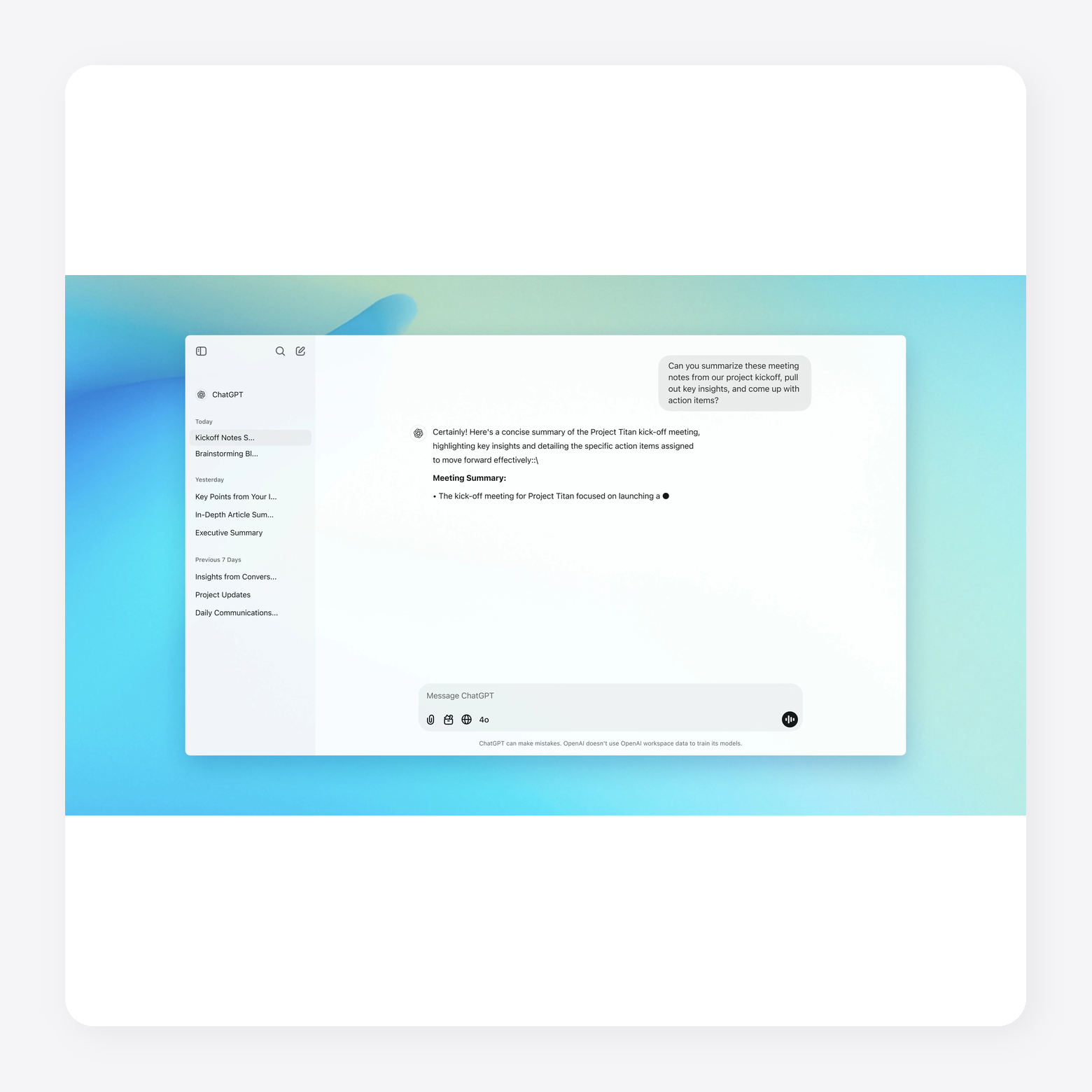
ChatGPT is a general-purpose AI assistant from OpenAI that legal teams can use for drafting, summarizing, research support, brainstorming, and document review. It can also analyze uploaded files, create charts, work with voice or images, and support longer projects through tools like Projects and Canvas.
Key features:
- General legal drafting support: Helps draft emails, memos, outlines, summaries, clauses and first-pass legal content.
- File analysis: Reviews uploaded documents and helps summarize, extract, or compare information.
- Data analysis: Analyzes uploaded data, answers questions, and creates tables or charts when useful.
Pros:
- Gives direct answers that help users organize ideas, summarize documentation, and structure projects or complex tasks.
- Helps users organize ideas, improve writing, summarize information, and explain complex topics in a clear way.
Cons:
- Can be repetitive when refining outputs and may hallucinate details that need verification.
- Output quality depends on prompt detail, and technical or high-impact information still needs verification.
Best AI Legal Tools Pricing Comparison
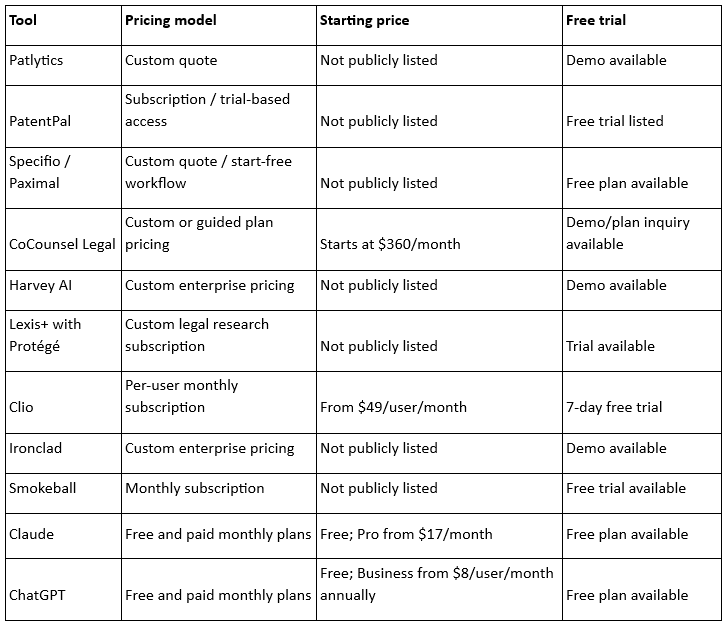
AI legal tool pricing depends on the type of work the software supports. General-purpose AI tools usually offer public monthly plans, while legal research, patent, contract and enterprise platforms often use custom pricing based on seats, features and usage.
The table below compares each tool’s pricing model, starting price and trial availability so teams can understand the likely cost structure before requesting a demo or plan details.
How to Choose the Best AI Legal Tool
The best AI legal tool depends on the type of work you do. Compare platforms based on their legal workflows, security controls, integrations, and long-term value before making a decision.
- Specialization Depth for Your Practice Area: Choose software built for your practice area rather than a general AI model adapted for legal work. General tools can draft clauses and summarize documents, but often lack support for claim construction, patent prosecution, and other specialized workflows.
- Review Cost: Compare subscription costs alongside usage limits, implementation fees, and add-on features. Consider whether one platform can replace multiple tools in your existing workflow.
- Consider Integration Capabilities: Look for software that connects with your document management, docketing, and collaboration tools. Strong integrations reduce manual work and help keep everything in sync.
- Evaluate Ease of Use: Choose software that fits naturally into your team's workflow. Clear navigation and structured outputs can reduce editing and training time.
- Review the Vendor's Data Processing Agreement (DPA): Review how the vendor collects, stores, and processes confidential legal data. Confirm the agreement aligns with your firm's security and compliance requirements.
- Audit Data Retention Periods: Check how long prompts, uploaded files, and generated content remain on the vendor's systems. Choose retention policies that match your internal governance requirements.
- Establish Access Controls: Look for role-based permissions, audit logs, and administrative controls. These features help protect confidential matters as more users adopt AI.
Confirm No Third-Party Disclosure: Verify whether customer data is shared with third parties or used to train AI models. Choose vendors that clearly define how they protect client information.
Book a demo to see how Patlytics is the best choice for your patent workflows
General AI Gets You Started. Purpose-Built AI Gets You Results
The best AI legal tool depends on the work you do. Look for tools that fit how your team already works, integrate with your existing systems, and meet your security requirements. If patent or IP work is part of your practice, consider whether the platform supports the entire workflow rather than just isolated tasks.
Patlytics brings patent drafting, prosecution, litigation analysis, and portfolio management together in one platform. It connects invention disclosures to structured drafts, supports office action responses, and helps teams analyze portfolios from a single workspace. That allows law firms and in-house IP teams to move from individual tasks to more consistent patent decisions.
No matter which platform you choose, look for transparent AI outputs, configurable workflows, enterprise-grade security, and tools that support practitioner review. Those capabilities help legal teams adopt AI without sacrificing quality or oversight.
Book a demo to see how Patlytics unites your entire patent workflow in one platform.
Best AI Legal Tools FAQs
What is the difference between legal AI tools and general AI like ChatGPT?
Legal AI tools are built for specific legal workflows such as document review, contract analysis, legal research, and matter management. They often include legal databases, collaboration features, and security controls designed for legal work.
General AI tools like ChatGPT can help with brainstorming, drafting, and summarizing. They are useful starting points but usually require additional review and do not replace purpose-built legal software for specialized practice areas.
Which AI is most accurate for legal work?
No single AI is the most accurate for every legal task. General AI works well for drafting and summarizing, while purpose-built legal platforms provide workflows, legal sources and safeguards designed for legal practice.
If you work in a specialized area such as intellectual property, choose software built for those workflows. Purpose-built platforms can produce more relevant outputs for patent drafting, prosecution, and portfolio analysis than general AI assistants.
What is the best AI tool for legal document review?
The best AI tool depends on the type of documents you review. General legal AI platforms can summarize, compare, and analyze contracts, pleadings, and other legal documents. Contract lifecycle management platforms also support review, approvals, and version control.
Choose software that matches your practice area, document volume, and security requirements. For patent documents, consider a platform built specifically for IP workflows instead of a general legal AI tool.
Which is the best legal AI tool for patent drafting?
For patent drafting, choose software built specifically for intellectual property workflows. General legal AI tools can help draft text, but they do not support the full patent lifecycle, including invention intake, claim drafting, prosecution, and portfolio analysis.
Patlytics is built specifically for patent professionals. It combines AI-assisted drafting, office action support, patent search, litigation analysis, and portfolio management in a single platform, making it a strong choice for law firms and in-house IP teams.
11 Best AI Legal Tools in 2026: From General Drafts to Enterprise IP Workflow
AI is becoming part of everyday legal work. Lawyers now use it to draft documents, review contracts, summarize cases, and support legal research. About 80% of law firm professionals expect AI to change how legal work is performed over the next five years.
But legal AI is no longer one category. While some tools help with patent drafting and research, others support contract review, billing, or case management. Patent professionals also need software that can draft applications, manage prosecution, and analyze portfolios.
This guide compares the best AI legal tools across those categories. Whether you work in a law firm, an in-house legal team, or an IP practice, you'll find software that fits the work you do.
Key Takeaways
- AI legal tools now cover distinct workflows, including drafting, research, contract review, case management, and patent analysis.
- General AI tools can help with early drafts, summaries, and brainstorming, but specialized legal workflows need purpose-built software.
- Patent teams should look for tools that support drafting, prosecution, infringement analysis, and portfolio review in one system.
Best AI Legal Tools: Quick Review
AI legal tools now support a wide range of legal work, from research and drafting to contract review, billing, intake, and patent analysis. The right tool depends on the type of work your team handles, how much structure you need, and whether the software fits your existing workflow.
We chose the tools below by reviewing drafting and analytics capabilities, litigation and IP use cases, workflow integrations, ease of use, and G2 review. We also looked at whether each tool supports a focused legal workflow or broader general-purpose AI assistance.
Best AI Legal Tools for End-to-End AI Patent Drafting, Prosecution, and Litigation Analysis
These tools are purpose-built platforms that support the entire patent lifecycle, from invention disclosure and patent drafting to prosecution, prior art analysis, claim chart generation, portfolio management, and litigation support. They help IP professionals automate time-intensive workflows, improve drafting quality, and accelerate patent-related work.
1. Patlytics
Best for: End-to-end patent lifecycle management
Patlytics is an AI-native patent platform built to support work across the patent lifecycle. It covers invention disclosure, drafting, analysis, infringement detection, prosecution, FTO, SEP, and portfolio review. Instead of forcing teams to stitch together separate tools, Patlytics brings core IP workflows into one platform for patent attorneys, IP teams and enterprises.
The platform helps reduce repetitive work while improving the quality and usability of each output. Teams can move from source materials to structured drafts, analyze prior art, generate claim charts, and evaluate portfolio assets without switching systems. That makes it easier to handle high-volume work while keeping attorney review and judgment central.
Patlytics is trusted by large law firms and enterprise teams, including over 40% of Am Law 100 firms and Fortune 500 companies. It is the only platform on the market that combines drafting, prosecution, infringement, invalidity, FTO, SEP, and portfolio analysis in one system.
Key features:
- Patent application drafting: Creates structured patent drafts from source materials, technical documents, figures, and invention disclosures.
- Office action analysis and response: Reviews Office Action materials, supports response strategy, and drafts responses with contextual AI.
- Infringement detection: Crawls publicly available evidence of use and generates limitation-by-limitation claim charts; portfolio heatmaps cover up to 2000 patents at a time.
- Invalidity analysis: Combines prior art search, §102, §103, and §112 analysis with citation-backed claim charting.
- Cross-module workflows: Allows teams to move drafts into prior art search, FTO, and §112 review without leaving the system.
- Security and compliance: Supports SOC 2 Type 2, ISO 27001, and ISO 42001, with encrypted and segregated customer data.
Pros:
- Single platform that covers drafting, analysis, infringement detection, and portfolio management without switching tools
- Responsive customer support that users consistently describe as trustworthy and attentive
Cons:
- Built for teams whose work spans multiple IP workflows, solo practitioners with a single narrow focus may prefer a point tool
2. PatentPal
Best for: One-click generation of structural flowcharts and block diagrams from finalized claims
PatentPal is an AI patent drafting platform that automates portions of the patent application drafting process. It generates specification content from uploaded claim sets and uses generative AI to produce supporting text and technical diagrams. The platform also enables users to apply their own drafting preferences, creating outputs that align more closely with their preferred writing style before exporting documents for further review.
Key features:
- AI-assisted specification drafting: Generates specifications, abstracts, and summaries from uploaded patent claims.
- Automatic figure generation: Creates flowcharts, block diagrams, and detailed figure descriptions to support patent applications.
- Custom drafting profiles: Allows users to save preferred terminology and drafting styles for consistent document generation.
Pros:
- Exports to standard formats such as Word, Visio, and PowerPoint.
- Generates automated images such as flowcharts and block diagrams.
Cons:
- Lacks broader workflow features like prior art searching and portfolio management.
- Requires extensive human review.
3. Specifio
Best for: Auto-generated patent application shells from claims
Specifio is an AI patent drafting software that helps patent practitioners generate application shells from attorney-drafted claims. It has been acquired and is currently called Paximal, which builds on Specifio’s claim-to-draft workflow for patent application generation.
Key features:
- Claim-to-specification drafting: Converts attorney-drafted software method claims into first-draft patent specifications.
- Auto-generated figures: Creates system and method figures to support software patent application drafts.
- Application shell generation: Produces a structured draft framework attorneys can revise and complete.
Pros:
- Creates strong first drafts for patent applications, with support for more advanced patent drafting use cases.
- Speeds up patent and trademark application drafting compared with manual document creation.
Cons:
- Auto-generated drafts may include inaccuracies, so attorneys may spend extra time correcting and refining the output.
- Personalization and customization options may not fully adapt to each user’s drafting style, needs or preferences.
Best AI Legal Tools for Broad, General-Purpose Law Firm Use Cases
These tools are all-in-one platforms that streamline core legal workflows, including legal research, document drafting, contract review, case analysis, and matter management. By combining large language models with legal databases and workflow automation, they help lawyers complete routine tasks faster, reduce manual effort, and improve productivity.
1. CoCounsel
Best for: General legal research, analysis, and drafting
CoCounsel is a legal AI assistant from Thomson Reuters for legal research, document review, analysis and drafting. It helps legal teams move from plain-language requests to polished work product by building matter-specific plans and drawing from Westlaw, Practical Law and a firm’s own knowledge. CoCounsel also shows its reasoning path and citations, so attorneys can review and verify outputs before using them
Key features:
- Plain-language legal prompting: Lets users describe research, drafting, review, or analysis tasks without complex prompt setup.
- Authoritative legal grounding: Uses Westlaw, Practical Law and firm knowledge to support legal work with trusted sources.
- Matter-specific planning: Interprets requests, builds a legal approach, and works through tasks step by step.
Pros:
- Offers a responsive, user-friendly interface with a straightforward initial setup.
- Produces useful legal work product with accurate citations and document-ready case excerpts.
Cons:
- May struggle to review large contracts or documents and provide useful input.
- Can require extra steps to apply user preferences, such as setting a default jurisdiction.
2. Harvey AI
Best for: Enterprise legal workflow automation
Harvey is an AI legal platform for law firms, in-house teams and professional services teams. It supports legal research, drafting, document analysis, due diligence, contract review, and complex workflows. Harvey also integrates with tools like Word, Outlook, iManage, NetDocuments, SharePoint, Google Drive, and Ironclad.
Key features:
- Legal AI assistant: Helps users ask questions, analyze documents and draft legal work product.
- Workflow agents: Runs pre-built agents or custom workflows for firm-specific legal tasks.
- Document vault: Stores, organizes, and bulk analyzes legal documents in a secure workspace.
Pros:
- Connects with common legal tools and document systems, which helps teams work inside existing workflows.
- Provides enterprise security and compliance controls for larger firms and in-house legal teams.
Cons:
- May require setup and workflow design before teams can get full value from custom agents.
- Focuses on broad legal work, rather than specialized patent drafting, prosecution, or portfolio analysis workflows.
3. Lexis+ AI
Best for: Legal research and citation-backed drafting
Lexis+ AI is now called Lexis+ with Protégé. It is a legal AI workflow solution for drafting, research, and analysis. It combines the Protégé AI assistant with LexisNexis legal content, Shepard’s citations, Practical Guidance, web sources and firm documents. Legal teams can use it to draft agreements, motions, briefs, complaints, and client communications while tracing work back to legal sources.
Key features:
- Legal AI assistant: Powers drafting, research and analysis workflows across LexisNexis tools.
- Legal drafting support: Drafts and refines agreements, contracts, motions, briefs, complaints and client communications.
- Research grounding: Uses LexisNexis legal content, firm documents, web sources and news sources for traceable answers.
Pros:
- Grounds legal drafting and research in LexisNexis sources, Practical Guidance and Shepard’s citations.
- Supports connected drafting, research, analysis and review workflows in one legal AI workspace.
Cons:
- Works best for teams already using LexisNexis content or document management integrations.
- Focuses on broad legal workflows, rather than end-to-end patent drafting, prosecution or portfolio analysis.
Best AI Legal Tools for Running a Law Firm (Billing, Intake, Ops)
These tools help firms manage the business side of legal practice, including client intake, billing, time tracking, scheduling, document management, and case administration. By automating administrative workflows, they reduce manual work, improve efficiency, and free legal teams to focus more on client matters.
1. Clio
Best for: Law firm operations, billing, and client management
Clio is cloud-based legal practice management software for running a law firm. It helps teams manage cases, documents, billing, payments, client communication, calendars and tasks from one workspace. Clio uses AI to turn court documents into calendar events, generate draft invoices, surface matter activity and reduce manual data entry across routine workflows.
Key features:
- Case management: Organizes cases, contacts, deadlines, and matter details in one workspace.
- Legal document management: Stores, shares, generates, and e-signs documents from the same system.
- AI practice management: Converts court documents into calendar events and routine work into reviewable actions.
Pros:
- Offers a user-friendly interface, hyperlinked data, and integrated search for finding contacts, matters, and files.
- Supports remote case management with cloud access, shared notes, tasks, schedules, logs, billing, payments, and communication tools.
Cons:
- Requires time to learn the platform’s full capabilities, so users may not get full value right away.
- Customer support can take longer when users need to move through AI chat before reaching a person.
2. Ironclad
Best for: AI contract lifecycle management
Ironclad is an AI contract lifecycle management platform for legal, sales, procurement and operations teams. It helps teams create, review, approve, execute, analyze, and manage contracts from one workspace. Ironclad uses no-code workflow automation, contract data, integrations and its Jurist AI assistant to support drafting, redlining, review, risk analysis and contract insights.
Key features:
- Contract lifecycle management: Manages contracts from intake and review through approval, signature, and post-signature analysis.
- No-code workflow automation: Lets teams build contract workflows that trigger reviews, approvals and other actions.
- AI contract support: Uses AI to assist with drafting, redlining, contract review, risk analysis and performance insights.
Pros:
- Offers a user-friendly interface for searching, uploading, redlining, tracking updates, and communicating across teams.
- Uses Jurist to review higher-risk clauses, suggest internal mitigation strategies and check standard clauses quickly.
Cons:
- Comment visibility can feel limited because users may need to enter edit mode to see who left a comment.
- Repository search may depend on exact metadata or tags, and the interface can take time to learn for users new to CLM tools.
3. Smokeball
Best for: AI legal practice management and billing
Smokeball is AI-powered legal practice management software for law firms. It helps teams manage intake, matters, documents, emails, calendars, billing, trust accounting, and client communication in one place. Smokeball AI and Archie AI work inside matters to answer case questions, summarize correspondence, draft client communications and support intake workflows.
Key features:
- Archie AI matter assistant: Answers matter questions, summarizes case details and drafts client correspondence.
- Case management: Organizes matter details, contacts, emails, documents, and calendar events in one workspace.
- Automatic time tracking: Captures time across Smokeball, Microsoft Word, and Outlook.
Pros:
- Offers a user-friendly interface with customizable matter fields and strong template and orm capabilities.
- Keeps matters organized with an easy-to-use interface, Archie AI support, email tagging and file uploads.
Cons:
- Creating templates and autofill form fields can take time to learn, especially for small firms without a dedicated setup person.
Best AI Legal Tools for General Purpose and Initial Drafting
These are general-purpose AI tools that help legal teams with fast, high-quality legal writing and everyday drafting tasks. While they can improve productivity, they aren't purpose-built for legal workflows or backed by specialized legal research databases and practice-specific features.
1. Claude
Best for: General-purpose legal drafting and analysis
Claude is a general-purpose AI assistant from Anthropic. It supports writing, research, analysis, coding, document review, and file-based work. Legal teams can use it to draft first-pass content, summarize documents, compare text, and organize research. Claude also supports longer knowledge-work tasks through Claude Cowork, which can work across local files and applications to prepare finished deliverables for review.
Key features:
- Legal drafting support: Helps draft first-pass emails, memos, summaries, outlines and other legal content.
- Document analysis: Reviews uploaded materials, extracts information, and summarizes dense documents.
- Research synthesis: Organizes findings across sources and turns them into structured summaries.
Pros:
- Handles longer conversations and detailed content well, with structured responses for research, writing and complex topics.
- Follows instructions closely and keeps long, complex discussions structured and easy to follow.
Cons:
- Can give overly cautious or lengthy answers, and specialized topics may still require fact-checking.
- May need verification for technical topics and can hit usage limits during longer work sessions.
2. ChatGPT
Best for: General-purpose legal drafting and file analysis
ChatGPT is a general-purpose AI assistant from OpenAI that legal teams can use for drafting, summarizing, research support, brainstorming, and document review. It can also analyze uploaded files, create charts, work with voice or images, and support longer projects through tools like Projects and Canvas.
Key features:
- General legal drafting support: Helps draft emails, memos, outlines, summaries, clauses and first-pass legal content.
- File analysis: Reviews uploaded documents and helps summarize, extract, or compare information.
- Data analysis: Analyzes uploaded data, answers questions, and creates tables or charts when useful.
Pros:
- Gives direct answers that help users organize ideas, summarize documentation, and structure projects or complex tasks.
- Helps users organize ideas, improve writing, summarize information, and explain complex topics in a clear way.
Cons:
- Can be repetitive when refining outputs and may hallucinate details that need verification.
- Output quality depends on prompt detail, and technical or high-impact information still needs verification.
Best AI Legal Tools Pricing Comparison
AI legal tool pricing depends on the type of work the software supports. General-purpose AI tools usually offer public monthly plans, while legal research, patent, contract and enterprise platforms often use custom pricing based on seats, features and usage.
The table below compares each tool’s pricing model, starting price and trial availability so teams can understand the likely cost structure before requesting a demo or plan details.
How to Choose the Best AI Legal Tool
The best AI legal tool depends on the type of work you do. Compare platforms based on their legal workflows, security controls, integrations, and long-term value before making a decision.
- Specialization Depth for Your Practice Area: Choose software built for your practice area rather than a general AI model adapted for legal work. General tools can draft clauses and summarize documents, but often lack support for claim construction, patent prosecution, and other specialized workflows.
- Review Cost: Compare subscription costs alongside usage limits, implementation fees, and add-on features. Consider whether one platform can replace multiple tools in your existing workflow.
- Consider Integration Capabilities: Look for software that connects with your document management, docketing, and collaboration tools. Strong integrations reduce manual work and help keep everything in sync.
- Evaluate Ease of Use: Choose software that fits naturally into your team's workflow. Clear navigation and structured outputs can reduce editing and training time.
- Review the Vendor's Data Processing Agreement (DPA): Review how the vendor collects, stores, and processes confidential legal data. Confirm the agreement aligns with your firm's security and compliance requirements.
- Audit Data Retention Periods: Check how long prompts, uploaded files, and generated content remain on the vendor's systems. Choose retention policies that match your internal governance requirements.
- Establish Access Controls: Look for role-based permissions, audit logs, and administrative controls. These features help protect confidential matters as more users adopt AI.
Confirm No Third-Party Disclosure: Verify whether customer data is shared with third parties or used to train AI models. Choose vendors that clearly define how they protect client information.
Book a demo to see how Patlytics is the best choice for your patent workflows
General AI Gets You Started. Purpose-Built AI Gets You Results
The best AI legal tool depends on the work you do. Look for tools that fit how your team already works, integrate with your existing systems, and meet your security requirements. If patent or IP work is part of your practice, consider whether the platform supports the entire workflow rather than just isolated tasks.
Patlytics brings patent drafting, prosecution, litigation analysis, and portfolio management together in one platform. It connects invention disclosures to structured drafts, supports office action responses, and helps teams analyze portfolios from a single workspace. That allows law firms and in-house IP teams to move from individual tasks to more consistent patent decisions.
No matter which platform you choose, look for transparent AI outputs, configurable workflows, enterprise-grade security, and tools that support practitioner review. Those capabilities help legal teams adopt AI without sacrificing quality or oversight.
Book a demo to see how Patlytics unites your entire patent workflow in one platform.
Best AI Legal Tools FAQs
What is the difference between legal AI tools and general AI like ChatGPT?
Legal AI tools are built for specific legal workflows such as document review, contract analysis, legal research, and matter management. They often include legal databases, collaboration features, and security controls designed for legal work.
General AI tools like ChatGPT can help with brainstorming, drafting, and summarizing. They are useful starting points but usually require additional review and do not replace purpose-built legal software for specialized practice areas.
Which AI is most accurate for legal work?
No single AI is the most accurate for every legal task. General AI works well for drafting and summarizing, while purpose-built legal platforms provide workflows, legal sources and safeguards designed for legal practice.
If you work in a specialized area such as intellectual property, choose software built for those workflows. Purpose-built platforms can produce more relevant outputs for patent drafting, prosecution, and portfolio analysis than general AI assistants.
What is the best AI tool for legal document review?
The best AI tool depends on the type of documents you review. General legal AI platforms can summarize, compare, and analyze contracts, pleadings, and other legal documents. Contract lifecycle management platforms also support review, approvals, and version control.
Choose software that matches your practice area, document volume, and security requirements. For patent documents, consider a platform built specifically for IP workflows instead of a general legal AI tool.
Which is the best legal AI tool for patent drafting?
For patent drafting, choose software built specifically for intellectual property workflows. General legal AI tools can help draft text, but they do not support the full patent lifecycle, including invention intake, claim drafting, prosecution, and portfolio analysis.
Patlytics is built specifically for patent professionals. It combines AI-assisted drafting, office action support, patent search, litigation analysis, and portfolio management in a single platform, making it a strong choice for law firms and in-house IP teams.
The Premier AI-Powered Patent Platform
Reduce cycle times. Increase margins. Deliver winning IP outcomes.
Book a DemoThe Premier AI-Powered
Patent Platform
Reduce cycle times. Increase margins. Deliver winning IP outcomes.